
Why Mobile-First Website Design matters?

Person holding a smartphone displaying a vibrant UI/UX interface, surrounded by floating app icons and digital elements, representing Mobile-First Website Design focused on intuitive navigation, responsive layouts, and optimized user experience for mobile users.

In today’s digital era, smartphones are no longer just communication tools, they’re the primary gateway to the internet. With over half of global web traffic coming from mobile devices, having a mobile-first website design is no longer optional. It’s a necessity.

At Upswing Digital, we believe that businesses must prioritize user experience (UX), speed, and functionality on mobile screens first to ensure they stay competitive. In this blog, we’ll explore the concept of mobile-first design, why it matters, and how it benefits your business from both an SEO and user engagement standpoint.

Clean and modern dashboard interface showcasing Mobile-First Website Design with responsive layouts optimized for smartphones, highlighting user-friendly navigation, scalable typography, and intuitive touch controls.

What Is Mobile-First Website Design?

Mobile-first website design is a design strategy that starts with the mobile version of a website and then scales up for larger screens like tablets and desktops. Rather than designing a desktop website and then shrinking it to fit smaller devices, mobile-first begins with the smallest screen and builds upward.

This approach ensures that essential content, functions, and user experiences are optimized for mobile users before adding layers of complexity for larger devices.

Key Characteristics of Mobile-First Website Design:

  • Simplified navigation
  • Fast loading speed
  • Touch-friendly UI elements
  • Prioritized content
  • Responsive design framework

Why does It MATTER in 2025?

1. The Rise in Mobile Users

According to recent data, mobile devices account for more than 60% of total web traffic globally. Consumers are browsing, shopping, and engaging with content more on mobile than desktop. If your website isn’t designed with these users in mind, you risk losing a significant chunk of potential customers.

2. Improved User Experience

User experience is at the core of any successful digital strategy. A website that is hard to navigate on a mobile device will likely frustrate users and cause them to bounce. Mobile-first websites ensure that:

  • Buttons are easy to tap
  • Content is readable without zooming
  • Pages load quickly on mobile networks
  • Menus are simplified and accessible

Happy users are more likely to stay longer, engage with content, and convert into customers.

3. SEO Benefits

Google uses mobile-first indexing, which means it primarily uses the mobile version of your content for ranking and indexing purposes. If your mobile site is subpar, your SEO rankings could suffer.

Benefits of mobile-first for SEO:

  • Faster load times (a ranking factor)
  • Lower bounce rates
  • Better usability signals to Google
  • Higher chances of appearing in local search
4. Faster Page Load Speed

Page speed is critical, especially on mobile. Mobile-first designs focus on lightweight code, optimized images, and minimal scripts that improve performance. Since many users rely on mobile networks rather than broadband, a quick-loading mobile site can significantly enhance engagement.

Tips for faster mobile load times:

  • Compress images
  • Use lazy loading
  • Minimize CSS and JavaScript
  • Choose mobile-optimized fonts
5. Increased Conversions

Users behave differently on mobile than on desktop. They expect fast, easy access to information and streamlined actions. A mobile-first website focuses on:

  • Simplified forms
  • One-click call buttons
  • Easy checkouts
  • Minimal distractions

By making conversions easier on smaller screens, you increase the likelihood of turning visitors into customers.

Key Elements of Effective Mobile-First Website Design

1. Responsive Design

A responsive website adapts to all screen sizes, whether it’s a smartphone, tablet, or desktop. Mobile-first design ensures that the layout adjusts fluidly, providing consistent UX across devices.

2. Prioritized Content

On a small screen, space is limited. Mobile-first design pushes you to focus on what truly matters. Use clear calls to action (CTAs), concise headlines, and minimal copy to communicate your value fast.

3. Navigation Simplicity

Mega-menus and complex navigations don’t work well on mobile. Use:

  • Hamburger menus
  • Sticky navigation bars
  • Bottom navigation (for thumb access)

This makes your site intuitive and easy to explore on mobile.

4. Touch Optimization

Buttons, forms, and links should be designed for touch, not mouse clicks. That means:

  • Larger tap targets
  • Adequate spacing between elements
  • Minimal typing requirements
5. Minimal Design Approach

A clean, clutter-free mobile interface not only looks modern but also helps reduce load times and improve usability. Focus on white space, flat icons, and lightweight visuals.

Conclusion

Mobile-first website design isn’t just good practice, it’s essential in a mobile-dominated digital world. From better SEO and faster performance to higher user engagement and conversions, the benefits of going mobile-first are clear. Your website should not just “work” on mobile, it should shine on mobile.

If your current website struggles to meet the expectations of mobile users, it’s time for a change. A mobile-first approach sets the stage for long-term digital success, improves user satisfaction, and aligns with search engine best practices. Make your website future-ready, start with mobile.

Google My Business Features You’re Probably Not Using (But Should)

Three smiling individuals holding props of a magnifying glass, location pin, and blank banner in front of a large tablet displaying a map interface—symbolizing local search visibility and optimization for Google My Business listings.

At Upshttps://upswingdigital.inwing Digital, we often see local businesses missing out on the full potential of their Google Business Profile (formerly Google My Business). While most companies set up the basics-like hours, location, and contact info-few leverage the hidden tools that can significantly boost local visibility, engagement, and conversions.

In this blog, we’re taking you behind the scenes to show how your business can stand out using underused Google My Business features that make a real impact.

Why Do Businesses Need to Go Beyond the Basics?

When people search for services or products near them, your Google listing is often the first thing they see. That’s why optimizing your profile beyond the basics is key to:

  • Improving local SEO
  • Building trust and credibility
  • Increasing customer engagement

At Upswing Digital, we help businesses turn casual browsers into loyal customers by using tools that most competitors ignore.

Key Benefits of Using Google My Business Features

Improved Local SEO Rankings

Regular updates, keyword-rich content, and feature utilization boost your business visibility on Google Search & Maps.

Higher Customer Engagement

Posts, photos, and Q&A sections give potential customers more reasons to interact with your profile-building trust and interest.

Increased Website Traffic & Conversions

Integrated features like booking, CTAs, and direct calls make it easier for users to take action-driving real business results.

Stronger Brand Credibility

A fully optimized, active profile shows professionalism, reliability, and care-helping build trust before customers even call.

Stand Out from Competitors

Most businesses don’t fully use GMB’s features. With Upswing Digital’s help, you’ll gain a competitive edge in your local market.

Simplified Customer Journey

Features like direct bookings, FAQs, and service listings make it easy for users to get the info they need and take immediate action.

Visual Storytelling That Converts

With high-quality photos and videos, your GMB profile becomes a compelling visual introduction to your brand-crafted by Upswing’s creative team.

How Google My Business Features Help Your Business Grow

  • Increase Local Visibility
    Frequent updates and optimised content help you rank higher in Google’s local results.
  • Boost Customer Trust
    A well-managed profile signals professionalism and credibility.
  • Drive Direct Conversions
    From bookings to calls, every feature reduces friction and helps customers take the next step.
  • Differentiate Your Brand
    Most competitors ignore these features-using them sets you apart in your local market.

Conclusion

Google My Business isn’t just a listing-it’s a powerful marketing tool. But it only works if you use it strategically. At Upswing Digital, we go beyond setup. We help businesses like yours unlock hidden features, create engaging content, and stay optimized for local search.

Whether you’re in retail, hospitality, wellness, or services, our GMB optimization services ensure your profile works as hard as you do-bringing more visibility, more engagement, and more customers.

Ready to maximize your local presence? Let’s get your Google Business Profile working smarter, not just harder.

Advanced SEO Strategies for E-Commerce Websites

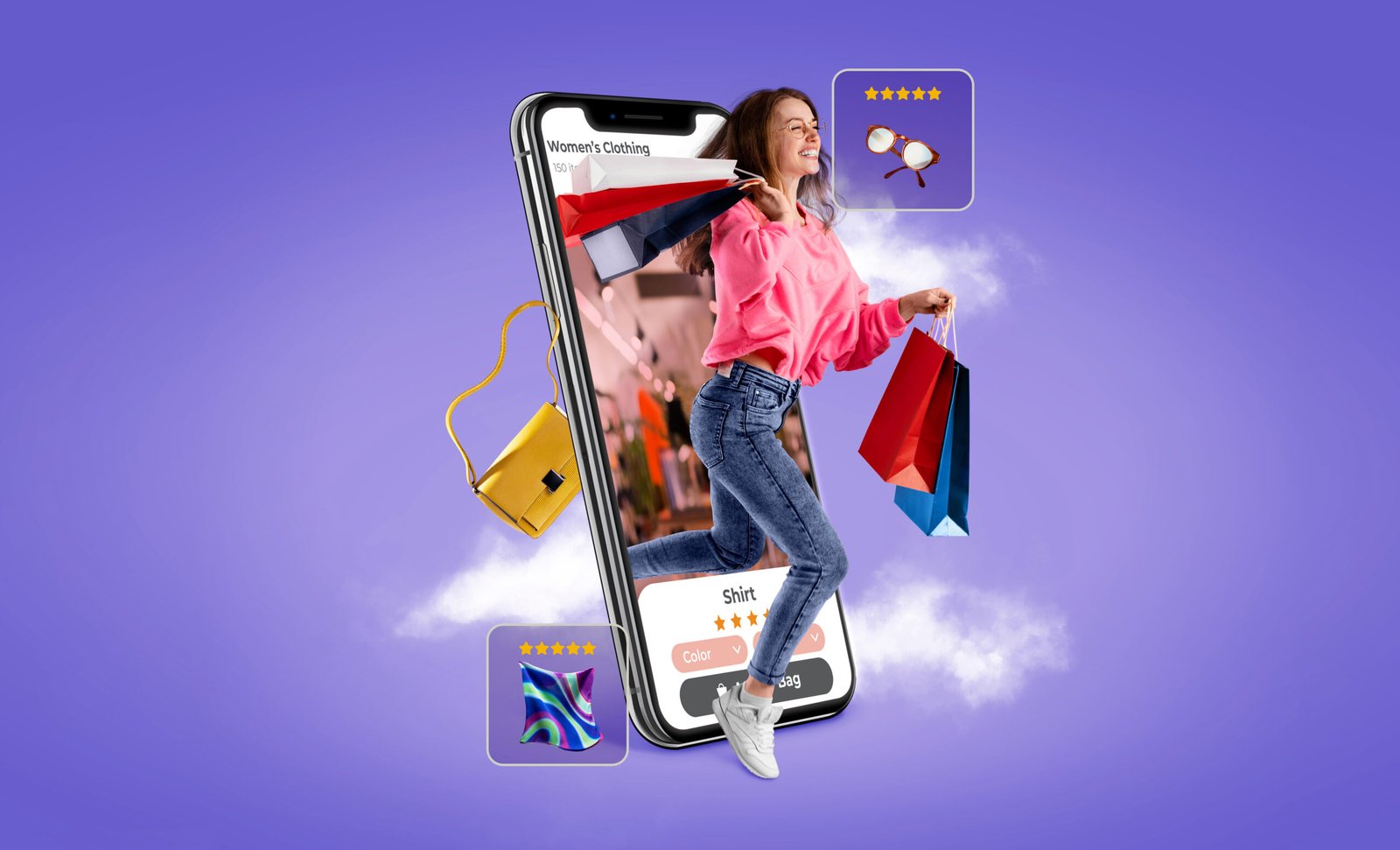
A vibrant conceptual image illustrating modern e-commerce, where a young woman carrying shopping bags joyfully emerges from a smartphone screen displaying an online clothing store. Floating around her are high-rated product icons like sunglasses, a handbag, and a patterned scarf. This visually represents digital shopping experiences and highlights the importance of strong SEO strategies for e-commerce to attract and engage customers online.

Introduction to Advanced SEO Strategies for E-Commerce Websites

If you have an e-commerce site, SEO is not a choice—it’s essential. At Upswing Digital, we employ sophisticated e-commerce SEO strategies to enable you to break through the noise, attract traffic, and increase revenue. This guide takes you through tested strategies—beginning with keyword research and concluding with voice search and AI-based optimization—that yield quantifiable results. Advanced SEO strategies for e-commerce websites have the power to help your brand achieve a lasting advantage.
Advanced SEO Keyword Research for E-Commerce Sites

Strategy starts with e-commerce SEO keyword research, the foundation of advanced SEO methods for e-commerce sites. Select a combination of short- and long-tail keywords aligned with buyer intent and search volume.

  • Search volume versus competition: Opt for terms with high intent and reasonable difficulty through advanced SEO methods for e-commerce sites.
  • Amazon and competitor insights: Leverage autocomplete and tools such as SpyFu to reveal underlying questions.
  • LSI keywords: Mention related terms (e.g., “handmade leather wallets” as well as “artisan leather items”) to enhance your advanced SEO strategies for e-commerce websites.
  • Seasonal keyword fluctuations: Seasonally optimize for holiday trends and shopping seasons with advanced SEO strategies for e-commerce websites.
  • User-generated content insight: Review customer reviews for language that can enlighten your keyword selection and enhance advanced SEO strategies for e-commerce websites.

Technical SEO and Site Structure for Advanced SEO Strategies for E-Commerce Sites

Speed and structure count when it comes to advanced SEO strategies for e-commerce sites. Here’s how Upswing Digital addresses it:

  • Quick page load speed: Image compression, CSS/JS minification, CDNs—speed is crucial for SEO and user experience with advanced SEO strategies for e-commerce sites.
  • Mobile-first, crawlable architecture: Obey Google’s mobile-first guidelines, use XML sitemaps, apply breadcrumbs, and employ logical pagination with advanced SEO methods for e-commerce sites.
  • Dynamic product pages: Employ canonical tags and redirect duplicates to prevent internal rivalry with advanced SEO methods for e-commerce sites.
  • Structured data & schema markup: Include Product, Review, and FAQ schemas to boost SERP visibility and employ advanced SEO methods for e-commerce sites.
  • SSL encryption and security: Secure your site to keep user data safe and optimize rankings using advanced SEO strategies for e-commerce sites.

On-Page Content Optimization for Advanced SEO Strategies for E-Commerce Sites

Product page optimization ensures buyers come and convert. Implement these advanced strategies for e-commerce sites:

  • Title tags & H1 with keywords: Descriptive titles such as “Handmade Leather Wallets – Free Shipping.” This is a part of cutting-edge SEO strategies for e-commerce websites.
  • Engaging, distinctive descriptions: 150–300 words with LSI terms and compelling calls to action make cutting-edge SEO strategies for e-commerce websites more effective.
  • Internal linking: Link from blogs, guides, and category pages to product pages for e-commerce websites.
  • Visual content: High-quality, compressed images with alt tags and descriptive filenames (such as “handmade-leather-wallet-brown.jpg”) assist in promoting SEO with sophisticated SEO strategies for e-commerce sites.
  • Customer reviews: Utilize genuine reviews to establish credibility and develop long-tail content that assists with sophisticated SEO strategies for e-commerce sites.
  • User-centered designs: Employ clear CTAs, bullet points, and mobile-friendly design as part of your sophisticated SEO strategies for e-commerce sites.

Content Marketing and Blogging With Advanced SEO Strategies for E-Commerce Sites

Excellent content drives visibility. In Upswing Digital, we suggest these strategies for e-commerce sites while developing a content strategy:

  • Pillar and cluster model: Develop a core content hub with supporting blog posts that highlight advanced SEO strategies for e-commerce sites.
  • Evergreen content: Create long-term content such as purchase guides, size charts, and product comparison with advanced SEO strategies for e-commerce sites.
  • Data-driven blogs: Publish customer statistics or trends that naturally generate backlinks and support advanced SEO strategies for e-commerce sites.
  • Weekly publishing schedule: Keep things relevant and fresh on search results with advanced SEO strategies for e-commerce sites.

Include visuals, infographics, and how-to videos for more engaging media, all optimized by advanced SEO methods on e-commerce websites.

Voice Search Optimization as an Advanced SEO Method for E-Commerce Websites

As voice assistants expand, shape your tactic with advanced SEO methods for e-commerce websites:

Employ natural language, long-tail search queries (“Where can I get eco-leather wallets around me?”) as one of your advanced SEO methods for e-commerce websites.

Add FAQ sections for targeting question-based queries and improving featured snippet chances, a strategy in advanced SEO techniques for e-commerce websites.

Additionally, add geo-specific keywords for geo-targeted e-commerce SEO optimisation using advanced SEO techniques for e-commerce websites.

AEO and AI for Advanced SEO Techniques for E-Commerce Websites

Search is transforming, and advanced SEO techniques for e-commerce websites nowadays comprise AEO (Answer Engine Optimization).

Firstly, AEO/GEO/AIO practices organize content for AI-generated responses through schema markup, FAQs, short paragraphs, and comprehensive topic coverage. These are highly effective advanced SEO methods for e-commerce sites.

Secondly, building topical authority is crucial—create thorough, question-driven content that demonstrates expertise. This strengthens your strategy with advanced SEO methods for e-commerce sites.

In addition, regularly updating content signals freshness to Google and AI tools, which is essential as part of your ongoing advanced SEO methods for e-commerce sites.

Furthermore, utilize AI platforms such as ChatGPT or Surfer SEO to refine blog outlines, expand keyword variations, and perform competitive analysis—each step enhancing your approach to advanced SEO methods for e-commerce sites.

Even for e-commerce, backlinks are important for authority. Utilize advanced SEO methods for e-commerce sites such as:

  • Quality over quantity: Secure links through guest blogging, expert roundups, and press mentions utilizing advanced SEO methods for e-commerce sites.
  • Don’t spam backlinks: Disavow bad links which may damage your reputation.
  • Internal linking: Cross-link product pages, category pages, and blog posts for equity flow with advanced SEO strategies for e-commerce websites.

Employ HARO (Help a Reporter Out) and influencer mentions to earn high DA links that identify your utilization of advanced SEO strategies for e-commerce websites.

Analytics and Monitoring in Advanced SEO Techniques for E-Commerce Websites

SEO is never set and forgotten. Track performance with advanced SEO methods for e-commerce websites:

  • Track impressions, CTR, and conversions with Google Search Console and Analytics using advanced SEO methods for e-commerce websites.
  • Track core web vitals (FID, LCP, CLS) with advanced SEO methods for e-commerce websites.
  • Conduct A/B tests for titles, descriptions, and page layout using advanced SEO methods for e-commerce websites.
  • Update content every quarter to reflect emerging questions and search patterns with cutting-edge SEO strategies for e-commerce sites.
  • Develop SEO dashboards in Looker Studio to graphically represent KPIs in real time with cutting-edge SEO strategies for e-commerce sites.

Conclusion

Ready to Apply Advanced SEO Strategies to E-Commerce Sites?

With the increasing competition in today’s market, sophisticated SEO methods for e-commerce stores are inevitable for long-term success. Moreover, from keyword planning and site structure to AI code and authority development, Upswing Digital provides end-to-end solutions to take your store to the next level. These sophisticated SEO methods for e-commerce stores have been tested to enhance rankings, traffic, and conversions.

How to Set Up Google Ads Campaign That Convert

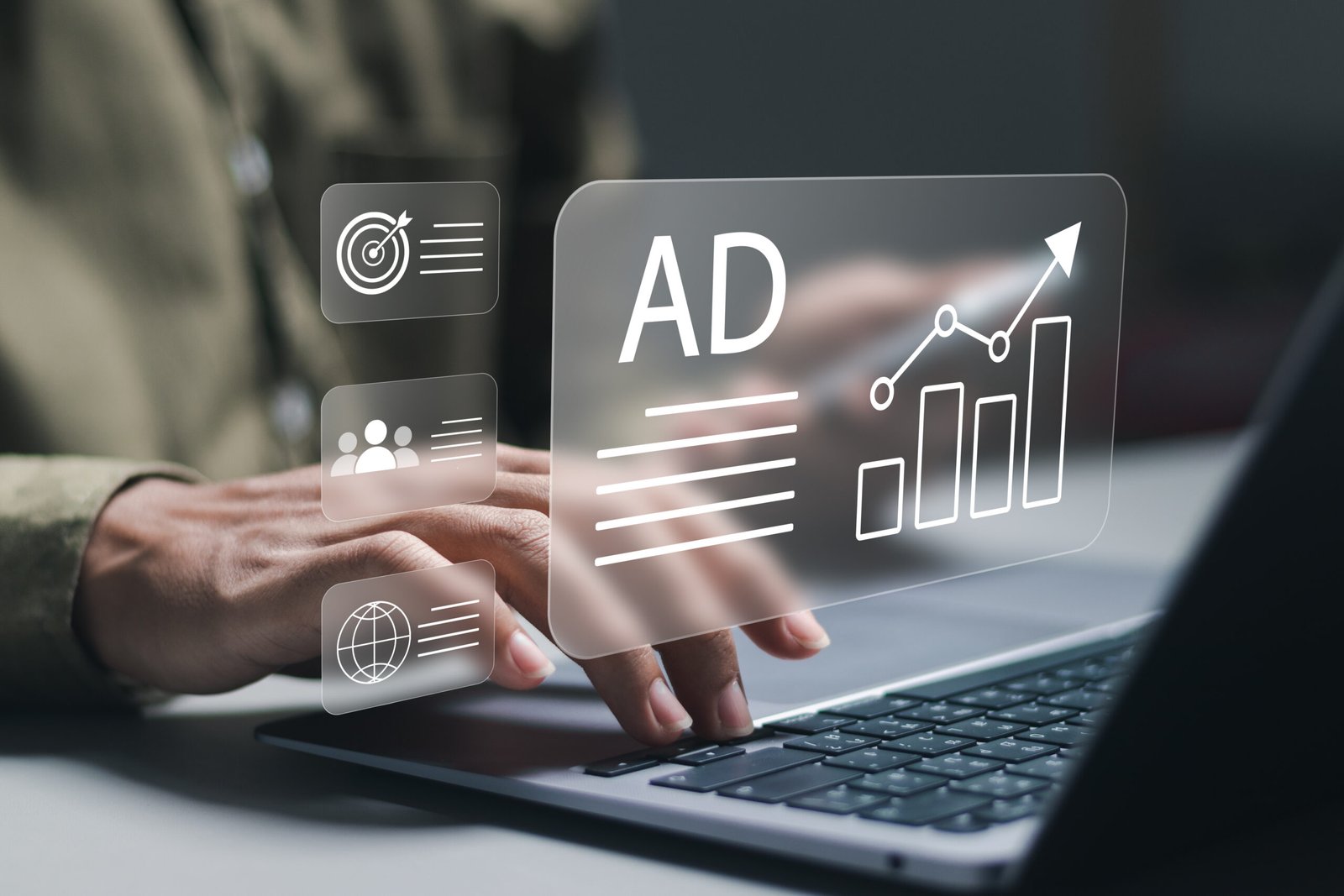
A person working on a laptop with digital marketing icons overlaid, including a growth chart, target audience symbol, and the word “AD,” symbolizing campaign performance. The image represents strategic planning and execution of Google Ads that convert, focusing on effective targeting, global reach, and measurable results.

Google Ads is one of the most powerful tools in digital marketing, but without the right setup, your budget can vanish fast. A well-structured campaign not only brings traffic but also ensures conversions. Whether you want more leads, sales, or sign-ups, this guide walks you through every step to create a high-performing Google Ads campaign that delivers results.

Step 1: Define Your Campaign Goals in google ads

Before you touch the dashboard, know what you want to achieve. Your objective will shape your campaign type, ad copy, budget, and more.

Common Campaign Goals:

  • Increase website traffic
  • Generate leads or sales
  • Promote brand awareness
  • Drive calls or app installs

Step 2: Choose the Right Campaign Type in google ads

Google Ads offers multiple campaign formats. Picking the right one is crucial to targeting the right audience.

  • Search Campaign – Text ads on Google search results
  • Display Campaign – Image ads across websites and apps
  • Video Campaign – YouTube video promotions
  • Shopping Campaign – Product-based ads for e-commerce
  • Performance Max – Automated, cross-channel ads driven by machine learning

Tip: For service-based businesses, a Search Campaign is usually the best starting point.

Step 3: Keyword Research and Match Types

Keywords trigger your ads. Choosing the right ones ensures your ads show to people actively looking for what you offer.

Hacks for Better Keywords:

  • Use tools like Google Keyword Planner or Ubersuggest
  • Focus on long-tail keywords for better intent
  • Understand match types:
    • Broad Match: Wider reach, less control
    • Phrase Match: More precise, moderate control
    • Exact Match: Highly targeted, least waste

Step 4: Create Compelling Ad Copy

Ad copy makes or breaks your campaign. It needs to be clear, relevant, and action-driven.

Best Practices:

  • Include your target keyword in the headline
  • Add a clear CTA (e.g., “Get a Free Quote”)
  • Highlight USPs (e.g., 24/7 Support, Free Shipping)
  • Use all available headline and description fields

Step 5: Set Budget and Bidding Strategy in google ads

Google Ads allows full control over how much you spend per day and how you bid for clicks or conversions.

Bidding Options:

  • Manual CPC: You control the max bid per click
  • Maximize Conversions: Let Google optimize for more leads
  • Target CPA: You set a cost-per-acquisition goal

Start with a modest daily budget and optimize as you gather data.

Step 6: Use Ad Extensions for Better Visibility

Ad extensions provide additional information and improve CTR (Click-Through Rate).

Useful Extensions:

  • Sitelink: Direct links to specific pages
  • Call: Add a phone number
  • Location: Show business address
  • Callout: Highlight offers like “Free Returns” or “No Setup Fees”

Step 7: Track, Test & Optimize google ads

Once your campaign is live, monitor its performance closely. Google Ads gives deep insights through metrics like CTR, Quality Score, and Conversion Rate.

Ongoing Optimization Tips:

  • Pause underperforming keywords
  • A/B test ad copies regularly
  • Adjust bids based on location, time, and device
  • Improve landing pages for a better user experience

Conclusion

Google Ads campaign that converts isn’t about spending more; it’s about setting it up the right way. With clear goals, solid targeting, compelling copy, and continuous optimisation, you can create campaigns that drive real business results. Start small, stay consistent, and scale as you learn what works.

6 effective Social Media trends in 2025

A young woman posing playfully in front of a pink wall while surrounded by multiple smartphones filming her, representing influencer culture and emerging social media trends in content creation.

The Future of Social Media Is Here

Social media is no longer just a place for likes and shares; it’s a powerful tool for branding, communication, and commerce. As platforms evolve and user behaviour shifts, staying ahead of social media trends is essential for businesses, marketers, and creators. In 2025, the social landscape is poised to undergo further transformation, driven by emerging technologies, evolving user demands, and more sophisticated content strategies.

Below are the top social media trends that are set to dominate in 2025 and how you can leverage them.

1. AI-Powered Content Creation Will Take the Lead

Artificial Intelligence is reshaping how content is created, scheduled, and analyzed. From caption generators to AI video editing tools, creators are saving time and scaling faster.

What to Expect:
  • AI tools for automatic reel creation and post suggestions
  • Predictive analytics for content performance
  • AI-generated avatars and influencers

2. Rise of Private Communities Over Public Feeds

As users seek more meaningful interactions, private groups, chats, and niche communities are gaining traction over public engagement.

Why It Matters:
  • Higher engagement and loyalty in closed communities
  • Platforms like WhatsApp Channels, Discord, and Telegram groups growing fast
  • Brands shifting from broad reach to focused community building

3. Short-Form Video Will Still Reign

Platforms like TikTok, Instagram Reels, and YouTube Shorts are not slowing down. Short-form videos continue to capture attention, drive engagement, and boost visibility.

What Works in 2025:
  • Storytelling in under 30 seconds
  • Voiceovers and captions for accessibility
  • Authentic, raw, and relatable content

4. Social Commerce Will Be Mainstream

The line between social media and e-commerce is fading. Users now discover, review, and purchase products without ever leaving the app.

  • Shoppable posts and live selling on Instagram, TikTok, and YouTube
  • AI-assisted product tagging and recommendations
  • Creator affiliate marketplaces are growing rapidly

5. Multi-Platform Strategies Will Be Essential

No single platform can do it all. Smart brands are diversifying their presence and tailoring content per platform to stay relevant.

Best Practices:
  • Reformat content to fit platform style (e.g., carousel for IG, threads for X)
  • Use platform-specific trends without diluting brand identity
  • Use scheduling tools for cross-posting efficiency

6. Search and SEO on Social Media Will Grow

More users are using social media as a search engine. Hashtags and keywords are playing a bigger role in visibility and discovery.

How to Prepare:
  • Optimize captions with relevant keywords
  • Focus on visual SEO (alt text, image naming)
  • Use trending sounds and formats to improve discoverability

Conclusion: Adaptability Is the New Strategy

The social media landscape in 2025 is characterised by smart automation, authentic content, and community-driven growth. Whether you’re a brand, creator, or marketer, success will come to those who stay flexible, creative, and data-driven. Embrace these trends early, experiment often, and build a strong presence where your audience is most active.

Keyword Research Hacks for Better SEO Performance

Unlock powerful keyword research hacks with this image of a professional searching online. Perfect for blog posts about mastering SEO strategies and boosting your website’s visibility using smart keyword techniques.

In the ever-evolving world of SEO, keyword research remains one of the most crucial steps to drive targeted traffic and improve search rankings. But simply finding keywords isn’t enough, you need smart, strategic hacks to uncover hidden opportunities, stay ahead of competitors, and connect with the right audience. Whether you’re a beginner or an experienced marketer, these keyword research hacks will help you maximize your SEO efforts and get real results.

Why Keyword Research Still Matters in 2025

Keyword research is the foundation of any successful SEO strategy. It helps you understand what your target audience is searching for, how they phrase their queries, and what content you need to create to show up in their search results. (www.dvcanada.com)

Without proper keyword research, your content might get lost in the vast sea of online information. But with the right tactics, you can find valuable opportunities, outrank competitors, and attract high-converting visitors to your site.

Top Keyword Research Hacks You Should Use

1. Start With Search Intent, Not Just Search Volume

High volume keywords are tempting, but if they don’t align with your audience’s intent, they won’t convert. Instead of focusing only on numbers, focus on why someone is searching.

How to Hack This:
  • Use tools like Google’s “People Also Ask” and Related Searches to dig deeper into intent.
  • Create content that answers specific questions your audience has, not just broad topics.

2. Use Long-Tail Keywords for Faster SEO Rankings

Long-tail keywords are longer, more specific phrases that usually have less competition and higher conversion rates. They’re ideal for targeting niche audiences.

How to Hack This:
  • Use Google Autocomplete and tools like AnswerThePublic or Ubersuggest to uncover long-tail variations.
  • Think like a customer: “best skincare routine for oily skin” is more useful than just “skincare.”

3. Spy on Competitors’ Keywords

If your competitors are ranking well, they’ve probably already done solid keyword research. You can reverse-engineer their strategy to find opportunities you might’ve missed.

How to Hack This:
  • Use tools like Ahrefs, SEMrush, or SpyFu to see what keywords bring traffic to their site.
  • Look for content gaps, topics they haven’t covered or keywords they haven’t targeted.

Staying updated with search trends can help you catch seasonal or rising keywords before they get saturated.

How to Hack This:
  • Use Google Trends to compare keyword popularity over time and by location.
  • Target rising topics with blog posts, FAQs, or videos before your competitors do.

5. Analyze Your Own Site for Quick Wins

Sometimes, your site is already ranking on page 2 or 3 for great keywords—you just need a little push to get to page 1.

How to Hack This:
  • Use Google Search Console to find pages with average positions between 10–30.
  • Update and optimize those pages with better headlines, internal links, and enriched content.

Bonus Hack: Use Keyword Clusters to Boost Topic Authority

Instead of targeting single keywords, group related terms and build content clusters around them. This signals depth and authority to search engines.

Example: A main blog post on “vegan diet plan” can link to related articles like “vegan protein sources,” “vegan breakfast recipes,” and “tips for transitioning to vegan.”

Conclusion

Great SEO results don’t come from stuffing keywords or relying on a single tactic. They come from smart research, understanding your audience, and staying ahead of trends.

By applying these keyword research hacks, you can create better content, rank higher, and drive meaningful traffic to your website.

How Google My Business Boosts Local SEO Efforts

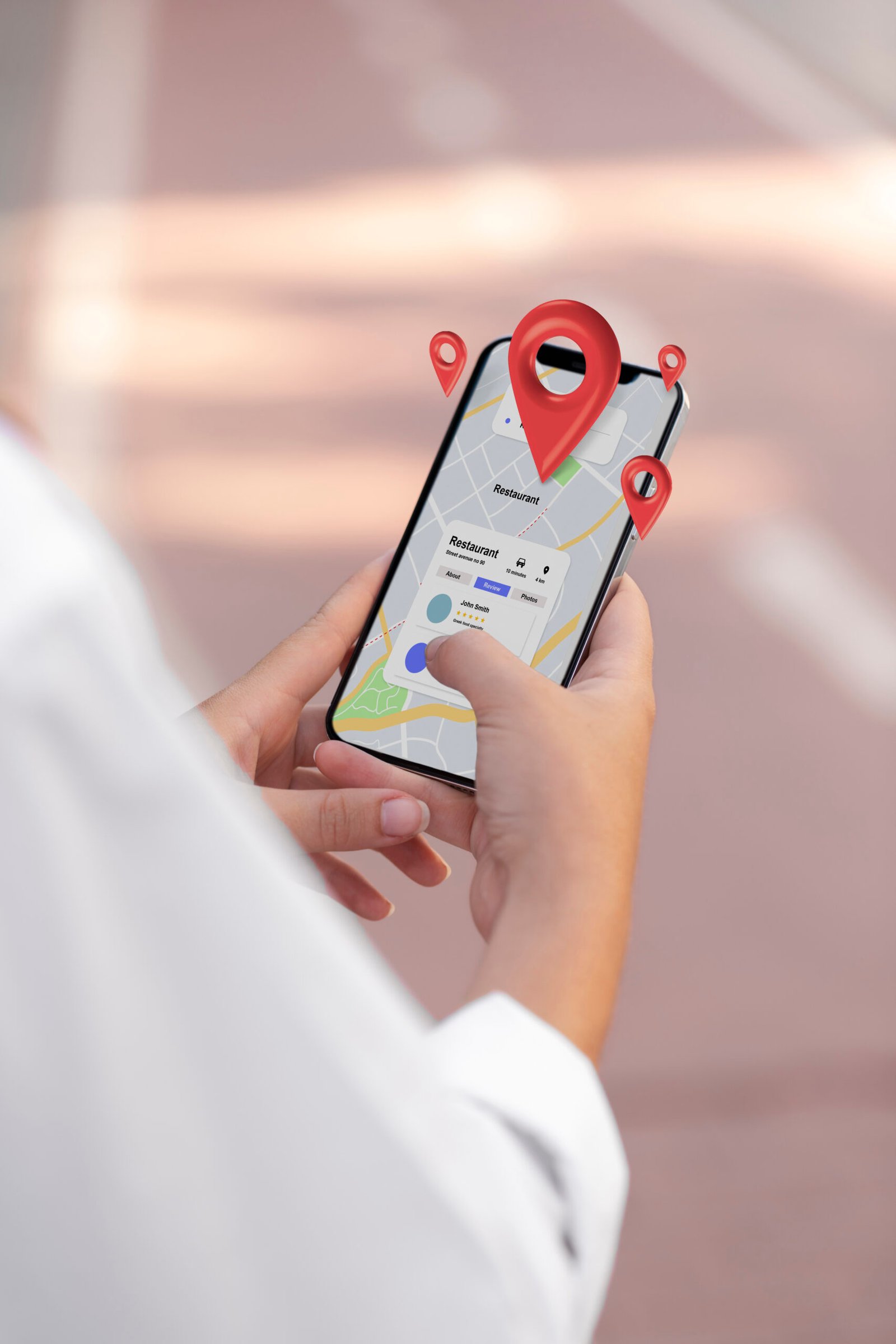
A person using a smartphone to search for nearby restaurants on a map app, with red location pins overlaid, representing Google My Business optimization for local SEO visibility.

In today’s digital landscape, being visible online isn’t just important, it’s essential, especially for local businesses. Whether you’re running a neighborhood café, a dental clinic, or a local service company, potential customers are searching for you online. This is where Google My Business (GMB) steps in as a powerful tool to enhance your local SEO efforts. With a well-optimized GMB profile, your business can appear in local search results, attract more foot traffic, and stand out from competitors, all without spending a dime.

Why Google My Business Matters in Local SEO

Google My Business (GMB) is a free tool from Google that allows local businesses to manage their online presence across Search and Maps. For any business targeting local customers, optimising your GMB profile can significantly boost visibility, build credibility, and increase foot traffic.

Whether you’re a salon owner, café manager, or digital consultant, GMB helps your business appear where it matters most right when potential customers search nearby.

Key Benefits of Using Google My Business for Local SEO

1. Increases Local Search Visibility

When someone searches for services or products in a specific area, Google prioritizes showing “local pack” results, maps and local listings. A well-optimized GMB profile helps your business show up in these top results.

2. Helps Appear in Google Maps Results

Many users rely on Google Maps to find nearby businesses. With a verified GMB listing, your business becomes visible on the map, complete with directions, contact buttons, and business hours.

3. Builds Trust Through Reviews and Ratings

Online reviews influence purchase decisions. GMB allows customers to leave reviews that are visible to anyone. Responding to reviews, positive or negative, shows you value customer feedback and helps build trust.

Optimizing Your GMB Profile for Better Local SEO

1. Complete Every Section

Fill in your business name, category, address, phone number, website, hours, services, and business description. The more complete your profile, the better your chances of ranking in local search.

2. Add High-Quality Photos Regularly

Photos of your storefront, products, and team create trust and engagement. Listings with photos get more clicks and requests for directions.

3. Use Keywords Strategically

Include relevant keywords in your business description, services, and posts. Don’t overstuff, make it natural and informative.

4. Keep Information Updated

Changed business hours? Launching a new service? Updating your GMB profile keeps your customers informed and avoids confusion that could lead them to competitors.

Using GMB Posts to Stay Engaging

GMB allows you to create posts for events, promotions, announcements, or updates. These posts appear in your listing and help keep your audience engaged.

Tip: Posting weekly updates with keywords can boost your relevance in search results.

Conclusion

For businesses focused on attracting nearby customers, Google My Business is an essential part of local SEO. It enhances your online presence, builds trust through reviews, provides accurate contact info, and helps you compete in the “local 3-pack.”

By optimizing and actively maintaining your GMB profile, you’re not just appearing in search results, you’re connecting directly with local customers who are ready to engage.

Website Design in Kochi: Top UX/UI Tips for User-Friendly DESIGN

In today’s digital world, your website is often a customer’s first impression. For businesses seeking website design in Kochi, a user-friendly site can make all the difference. It needs to look great and work smoothly to turn visitors into customers. That’s where a website designing company in Kochi shines, using UX (User Experience) and UI (User Interface) best practices. So, what are these practices? Let’s explore how to create websites that are easy to use and drive conversions, especially for Kochi’s vibrant market.

Why UX/UI Matters for website design in Kochi?

First, let’s understand why UX/UI is key for website design in Kochi. UX ensures the site feels intuitive, while UI focuses on visuals like buttons and layouts. Together, they create a seamless experience. However, a poorly designed site can frustrate users, leading to lost sales. In Kochi’s diverse business scene—from tourism to tech—a well-designed website sets you apart. Here’s why it’s critical:

  • Engages Visitors: A smooth experience keeps users on your site longer.
  • Boosts Conversions: A Clear design guides users to buy or contact you.
  • Builds Trust: Professional visuals show you’re reliable.

A website design company in Kochi can help you achieve this, ensuring your site is both beautiful and functional.

Know Your Users

To start, great website design in Kochi begins with understanding your audience. Who are they? Tourists, locals, or businesses? A website designing company in Kochi should dig into their needs. For example, a Kochi restaurant site might need easy menu access and booking options. Here’s how to focus on users:

  1. Create user personas to map out their goals.

    2. Ask for feedback through surveys or reviews.

    3. Test designs with real people to spot issues.

    By putting users first, you build a site that feels personal and drives action.

    Keep Navigation Simple

    Next, navigation can make or break a website. If users can’t find what they need, they’ll leave. So, a website designing company in Kochi should keep the menus clear and logical. For instance, a Kochi travel site should highlight “Tours” or “Book Now.” Try these tips:

    • Limit menu items to 5–7 for clarity.
    • Use a sticky navigation bar for easy access.
    • Add a search icon for quick content lookup.

    With simple navigation, users stay engaged and are more likely to convert.

    Design for Mobile

    Moreover, mobile use is huge in Kochi’s tech-savvy market. Therefore, website design in Kochi must prioritise mobile-first design. A website designing company in Kochi ensures your site looks great on phones and tablets. Here’s how:

    • Use responsive layouts that adjust to any screen.
    • Make buttons large for easy tapping.
    • Test with tools like Google’s Mobile-Friendly Test.

    A mobile-friendly site keeps users happy, especially when they’re browsing on the go.

    Speed Up Your Site

    Additionally, nobody likes a slow website. Users may leave if it takes over 3 seconds to load. For website design in Kochi, speed is a must. A website designing company in Kochi can optimise your site with these steps:

    • Compress images to reduce file size.
    • Minify code like CSS and JavaScript.
    • Choose a fast host with local servers.

    A quick site improves UX and even helps with SEO, bringing more visitors.

    For a User-Friendly Website Design in Kochi, Make It Visually Stunning

    Furthermore, visuals set the tone for your site. For website design in Kochi, think of colours inspired by Kerala’s lush landscapes. A website designing company in Kochi should create a clean, inviting look. Consider these tips:

    • Stick to 2–3 main colours for harmony.
    • Use clear fonts like Roboto for readability.
    • Add whitespace to avoid clutter.

    A beautiful UI grabs attention and makes users want to explore more.

    A designer working on website design in Kochi at a desk with dual monitors displaying colourful layouts, surrounded by design software icons like Adobe XD, Illustrator, and a rocket symbol, with a bookshelf and plant in the background.

    Craft a Strong CALL TO action

    Also, clear calls-to-action (CTAs) drive conversions. Whether it’s “Buy Now” or “Contact Us,” CTAs should pop. A website designing company in Kochi can make them effective with these ideas:

    • Use bold colours like orange for buttons.
    • Write action words like “Discover” or “Start.”
    • Place CTAs where users can’t miss them.

    A CTA like “Shop Local Today” can spark clicks and sales for a Kochi shop.

    Ensure Accessibility

    Equally important, your site should welcome everyone. Accessibility matters for website design in Kochi, especially to reach diverse users. A website designing company in Kochi can follow these rules:

    • Add alt text to describe images.
    • Make the site navigable by keyboard.
    • Use high-contrast colours for visibility.

    An accessible site shows you care and can boost your reach

    Organise Content Clearly with a user-friendly website design in Kochi

    Besides, how you present content matters. A clear structure helps users find information fast. For website design in Kochi, use a strong hierarchy. A website designing company in Kochi might suggest:

    • Highlight key info with big headings.
    • Break text into short, skimmable chunks.
    • Add visuals like icons to guide the eye.

    This keeps users focused and moves them toward your goals.

    Test and Improve: the need for a website design company in kochi

    What’s more, great design requires ongoing tweaks. A website designing company in Kochi should test regularly to see what works. Here’s how to stay sharp:

    • Run A/B tests on buttons or layouts.
    • Use tools like Hotjar to track clicks.
    • Ask users for feedback to fix pain points.

    In Kochi, adding local touches like Malayalam text can make a big difference.

    Build Trust with User-Friendly Website Design in Kochi

    Finally, trust turns visitors into customers. For website design in Kochi, show you’re legit. A website designing company in Kochi can add trust signals like:

    • Show reviews from happy Kochi clients.
    • Display a local address and phone number.
    • Use security badges for safe browsing.

    Trust makes users feel safe to buy or reach out

    CONCLUSION

    In conclusion, creating a user-friendly website is key for website design in Kochi. By focusing on users, keeping things simple, and testing often, a website designing company in Kochi can build sites that shine. From fast loading to stunning visuals, these UX/UI tips help you connect with Kochi’s audience. Ready to boost conversions? Partner with a top website design company in Kochi to make your website a success!

    Mobile-First Website Design: Why It’s Crucial for SEO in 2025

    An illustration highlighting mobile-first website design, featuring three individuals interacting with a large smartphone displaying a login interface with a user profile and password field. One person holds a padlock, another uses a key, and the third gestures toward the screen, symbolizing secure and accessible mobile-first website design with a focus on user authentication and protection.

    The ever-changing digital scenario is demanding innovation in every way possible. In such cases, what we need is a new way of thinking. Mobile-first website design is not optional but essential in the current digital era. The businesses that fail to optimise their websites to be mobile-friendly risk losing visibility, traffic, and potential customers with the changing Google algorithm. What Google wants is mobile-friendly websites. In 2025, having a mobile-first design isn’t just about aesthetics; it’s about delivering seamless user experiences and improving search engine rankings.

    An illustration showcasing mobile-first website design, featuring a hand holding a smartphone with a Google Search page open, and various icons (globe, play button, heart, camera, shopping cart) connected by a dotted line, symbolising seamless navigation and functionality. A desktop screen is visible in the background, emphasising the responsive design across devices.

    What Is Mobile-First Website Design?

    Designing a website primarily for mobile devices and then optimising it for larger screens, such tablets and PCs, is known as mobile-first website design. This strategy guarantees that visitors on smartphones, who account for the bulk of web traffic, have a flawless and optimised experience.

    Why Mobile-First Design Matter for SEO?

    1. Mobile-First Indexing of Google

    With its complete shift to mobile-first indexing, Google now ranks websites based solely on their mobile version. If your website isn’t responsive, it can rank lower and be less visible in search results. Mobile-first website design does make a difference in Google ranking.

    2. Faster Load Times Improve Rankings

    One important ranking factor is speed. SEO suffers when a website loads slowly because bounce rates rise. The goal of a mobile-first website design is to maximise speed using methods like effective caching, lightweight code, and picture compression.

    3. Better User Experience Reduces Bounce Rates

    A mobile website that is responsive and simple to use keeps users interested. Visitors are more likely to abandon a website that is difficult for them to explore or read on a mobile device, which tells search engines that the page is not user-friendly. So, guys, never underestimate the importance of a mobile-first website design!

    4. Higher Local Search Visibility

    Websites that prioritise mobile optimisation rank higher in local search results, particularly for companies that cater to local clients. Mobile-first website design is a ranking criterion for local SEO according to Google, which makes it simpler for potential clients to locate and get in touch with your company.

    5. Increased Conversions and Engagement

    Whether a customer is calling a business, making a purchase, or scheduling an appointment, a smooth mobile experience promotes higher conversions. Contact information, forms, and call-to-action buttons are all made available with a mobile-first design.

    Key Elements of a Mobile-Friendly Website

    Certain key elements decide whether a website has a mobile-first website design. Let’s analyse some of them.

    • Responsive Design: Ensures the website adapts to different screen sizes.
    • Fast Loading Speed: Optimize images, use caching, and minimize code.
    • Thumb-Friendly Navigation: Ensure buttons and menus are easy to tap.
    • Readable Fonts and Content: Avoid small text that requires zooming.
    • Optimized Media: Use adaptive images and video formats that load efficiently.

    How does Google React to Websites that are mobile friendly?

    Google has responded to the increasing number of people using mobile devices to access the internet by focusing on mobile-first indexing. By prioritising the mobile user experience, a mobile-first website design ensures responsive layouts, quick loading times, and simple navigation on smaller devices.

    Google formally implemented mobile-first indexing in 2018, meaning that a website’s mobile version is now used as the main indexing and ranking source. Your website will probably rank higher in search results if it is mobile-friendly. Conversely, websites that are not responsive to mobile devices can experience a decline in traffic and exposure. So, business owners, don’t ever compromise with a mobile-first website design

    How is a mobile-friendly design tied to Google’s Core Web Vitals?

    Google’s Core Web Vitals, a collection of user experience criteria that affect search rankings, are linked to mobile-first design. These include visual stability, interaction, and loading speed—all essential components of a mobile-friendly website.

    Google’s algorithms consider many factors when assessing a mobile-first website design, including responsive design, mobile usability, content parity across desktop and mobile versions, and page speed. Websites that load rapidly and work flawlessly on all devices are preferred. Buttons should be simple to click, and content should be readable without the need for zooming or horizontal scrolling.

    Google supports this by offering developers tools like PageSpeed Insights and Mobile-Friendly Test to assist them in optimising their websites for mobile-first indexing. These tools provide information on usability problems and make recommendations for enhancements to improve the mobile experience.

    An illustration depicting mobile-first website design, featuring a diverse group of people using smartphones and tablets, connected by a network of global and digital icons (globe, chat bubbles, gears) symbolizing seamless connectivity and user experience. The background includes cloud elements and interconnected lines, highlighting the importance of responsive and efficient mobile-first website design across a global audience.

    Conclusion

    In 2025, having a mobile-first website design is essential for SEO success. Businesses may raise their overall search ranks, increase their exposure in local searches, and increase foot traffic, calls, and inquiries by putting a high priority on responsiveness, quick load speeds, and mobile-friendly features. Now is the moment to make the switch and maintain your top search engine rating if you haven’t already optimised your website for mobile.

    Google My Business for Local SEO: How to Optimise Your Profile

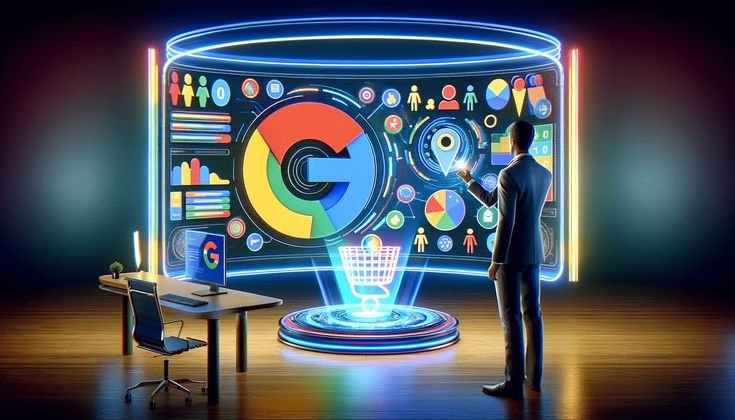
    The power of Google My Business for local SEO and business expansion is symbolised by a businessman engaging with a future digital dashboard that includes the Google logo, analytics, and location-based information.

    If you are looking to improve your local SEO and attract more customers, optimising your Google My Business profile is essential. With the right strategy, you can increase your visibility in local search results and improve your ranking on Google. This blog explores the importance of optimising Google My Business for local SEO. Follow these steps to optimise your GMB listing and enhance your local online presence.

    The power of Google My Business for local SEO and online visibility is symbolised by a future digital version of the Google logo in the centre, encircled by floating screens with glowing data graphics.

    Verify and Claim Your Google My Business Listing

    Before you optimize your Google My Business in Kochi profile, you need to claim and verify your listing. To do this:

    • Visit Google Business Profile
    • Search for your business and claim ownership
    • Follow the verification process (usually via postcard, phone, or email)

    Once verified, you can start optimizing Google My Business for local SEO success.

    Complete Every Section of Your Google My Business for Local SEO

    A fully completed Google Business Profile helps Google understand your business better and improves your chances of appearing in the Google Local Pack. Make sure to fill out:

    • Business Name (consistent with your branding)
    • Category & Subcategories (choose the most relevant ones)
    • Address & Service Area (accurate location details)
    • Business Hours (keep them up to date)
    • Website URL (direct customers to your site)
    • Phone Number (use a local phone number)
    • Attributes (highlight unique features like wheelchair accessibility, free Wi-Fi, etc.)
    • Menu or Services (for restaurants, salons, and service-based businesses)
    • Booking Links (if applicable, allow customers to schedule appointments directly)
    • Social Media Links (connect customers to your business on other platforms)

    Use Relevant Keywords in Your Google My Business for Local SEO

    Incorporating local SEO keywords into your GMB profile can improve your rankings. This is a key step in optimising your Google My Business for local SEO. Add keywords naturally in:

    • Business Description (highlight services, products, and unique selling points)
    • Services & Products Section (detailed descriptions help customers and Google understand your offerings)
    • GMB Posts (regular updates with targeted keywords to boost visibility)

    Add High-Quality Photos and Videos in GOOGLE MY BUSINESS FOR LOCAL SEO

    Businesses with high-quality images and videos get more engagement. Upload:

    • Exterior and interior photos to help customers recognize your location
    • Product or service images showcasing what you offer
    • Team and behind-the-scenes photos to build trust
    • Short videos demonstrating your services

    Encourage and Respond to Customer Reviews to Boost Google My Business for Local SEO

    Google favors businesses with positive reviews in local search rankings. To get more reviews:

    • Ask satisfied customers to leave feedback
    • Respond to all reviews (both positive and negative) professionally

    Use keywords in your responses to boost local SEO rankings.

    The Google logo on top of a blazing lightbulb with a tiny plant growing inside represents innovation and expansion through Google My Business for local SEO.

    Post Regularly on Your Google My Business for Local SEO

    Google My Business allows you to create posts about:

    • Promotions and special offers
    • New products or services
    • Events and business updates

    Posting consistently signals to Google that your business is active and relevant in local searches

    Use Google Q&A to Engage with Customers

    Google My Business has a Q&A feature where customers can ask questions. To optimize:

    • Answer questions promptly with helpful responses
    • Preemptively add FAQs with relevant keywords

    Ensure NAP Consistency Across the Web

    NAP (Name, Address, Phone Number) consistency is crucial for local SEO. Ensure your business details are the same across:

    • Your website
    • Social media profiles
    • Online directories (Yelp, Yellow Pages, etc.)

    Inconsistencies can confuse search engines and lower your local rankings.

    Track Performance with Google Insights

    Google provides valuable data on your GMB profile’s performance. Monitor:

    • Search queries used to find your business
    • Views and clicks on your listing
    • Customer actions (calls, directions, website visits)

    Use these insights to tweak your local SEO approach and improve your rankings.

    Optimize for Voice Search in Google My Business for Local SEO

    With the rise of voice search, optimizing for voice search SEO can give you an edge. To do this:

    • Use natural, conversational keywords
    • Answer common customer questions concisely
    • Include long-tail keywords like “best bakery near me”
    • Optimize for mobile users, as voice searches are primarily done on phones
    • Structure content in a Q&A format for easy retrieval in voice search
    • Claim featured snippets on Google to improve voice search ranking

    Conclusion

    Optimizing your Google My Business in Kochi profile is one of the best ways to improve your local SEO and attract more customers. By claiming your listing, adding relevant keywords, posting regularly, and engaging with customers, you can boost your visibility in Google Search and Google Maps. Start optimizing today and watch your local business ranking improve!