
Keyword Research Hacks for Better SEO Performance

Unlock powerful keyword research hacks with this image of a professional searching online. Perfect for blog posts about mastering SEO strategies and boosting your website’s visibility using smart keyword techniques.

In the ever-evolving world of SEO, keyword research remains one of the most crucial steps to drive targeted traffic and improve search rankings. But simply finding keywords isn’t enough, you need smart, strategic hacks to uncover hidden opportunities, stay ahead of competitors, and connect with the right audience. Whether you’re a beginner or an experienced marketer, these keyword research hacks will help you maximize your SEO efforts and get real results.

Why Keyword Research Still Matters in 2025

Keyword research is the foundation of any successful SEO strategy. It helps you understand what your target audience is searching for, how they phrase their queries, and what content you need to create to show up in their search results. (www.dvcanada.com)

Without proper keyword research, your content might get lost in the vast sea of online information. But with the right tactics, you can find valuable opportunities, outrank competitors, and attract high-converting visitors to your site.

Top Keyword Research Hacks You Should Use

1. Start With Search Intent, Not Just Search Volume

High volume keywords are tempting, but if they don’t align with your audience’s intent, they won’t convert. Instead of focusing only on numbers, focus on why someone is searching.

How to Hack This:
  • Use tools like Google’s “People Also Ask” and Related Searches to dig deeper into intent.
  • Create content that answers specific questions your audience has, not just broad topics.

2. Use Long-Tail Keywords for Faster SEO Rankings

Long-tail keywords are longer, more specific phrases that usually have less competition and higher conversion rates. They’re ideal for targeting niche audiences.

How to Hack This:
  • Use Google Autocomplete and tools like AnswerThePublic or Ubersuggest to uncover long-tail variations.
  • Think like a customer: “best skincare routine for oily skin” is more useful than just “skincare.”

3. Spy on Competitors’ Keywords

If your competitors are ranking well, they’ve probably already done solid keyword research. You can reverse-engineer their strategy to find opportunities you might’ve missed.

How to Hack This:
  • Use tools like Ahrefs, SEMrush, or SpyFu to see what keywords bring traffic to their site.
  • Look for content gaps, topics they haven’t covered or keywords they haven’t targeted.

Staying updated with search trends can help you catch seasonal or rising keywords before they get saturated.

How to Hack This:
  • Use Google Trends to compare keyword popularity over time and by location.
  • Target rising topics with blog posts, FAQs, or videos before your competitors do.

5. Analyze Your Own Site for Quick Wins

Sometimes, your site is already ranking on page 2 or 3 for great keywords—you just need a little push to get to page 1.

How to Hack This:
  • Use Google Search Console to find pages with average positions between 10–30.
  • Update and optimize those pages with better headlines, internal links, and enriched content.

Bonus Hack: Use Keyword Clusters to Boost Topic Authority

Instead of targeting single keywords, group related terms and build content clusters around them. This signals depth and authority to search engines.

Example: A main blog post on “vegan diet plan” can link to related articles like “vegan protein sources,” “vegan breakfast recipes,” and “tips for transitioning to vegan.”

Conclusion

Great SEO results don’t come from stuffing keywords or relying on a single tactic. They come from smart research, understanding your audience, and staying ahead of trends.

By applying these keyword research hacks, you can create better content, rank higher, and drive meaningful traffic to your website.

How Google My Business Boosts Local SEO Efforts

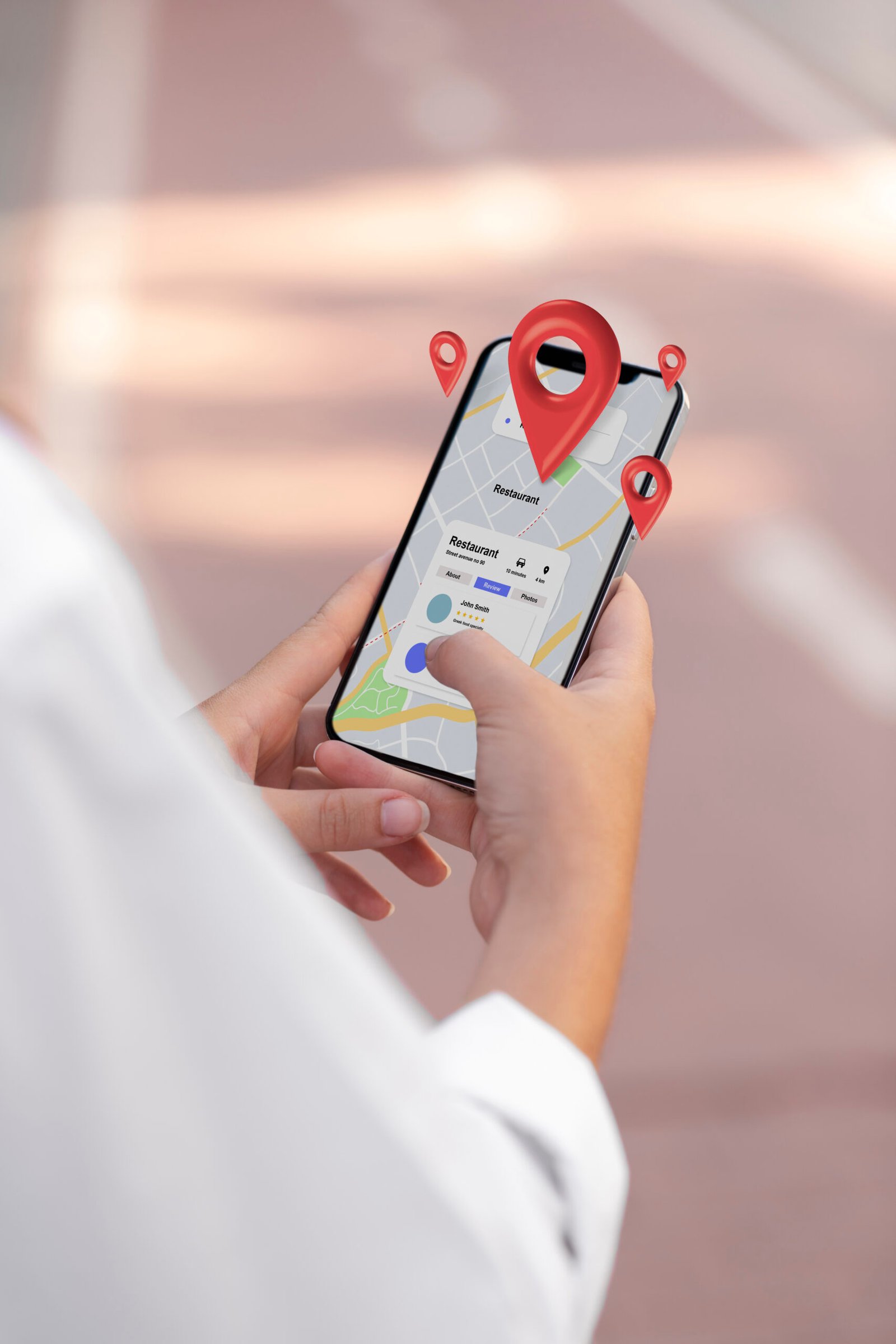
A person using a smartphone to search for nearby restaurants on a map app, with red location pins overlaid, representing Google My Business optimization for local SEO visibility.

In today’s digital landscape, being visible online isn’t just important, it’s essential, especially for local businesses. Whether you’re running a neighborhood café, a dental clinic, or a local service company, potential customers are searching for you online. This is where Google My Business (GMB) steps in as a powerful tool to enhance your local SEO efforts. With a well-optimized GMB profile, your business can appear in local search results, attract more foot traffic, and stand out from competitors, all without spending a dime.

Why Google My Business Matters in Local SEO

Google My Business (GMB) is a free tool from Google that allows local businesses to manage their online presence across Search and Maps. For any business targeting local customers, optimising your GMB profile can significantly boost visibility, build credibility, and increase foot traffic.

Whether you’re a salon owner, café manager, or digital consultant, GMB helps your business appear where it matters most right when potential customers search nearby.

Key Benefits of Using Google My Business for Local SEO

1. Increases Local Search Visibility

When someone searches for services or products in a specific area, Google prioritizes showing “local pack” results, maps and local listings. A well-optimized GMB profile helps your business show up in these top results.

2. Helps Appear in Google Maps Results

Many users rely on Google Maps to find nearby businesses. With a verified GMB listing, your business becomes visible on the map, complete with directions, contact buttons, and business hours.

3. Builds Trust Through Reviews and Ratings

Online reviews influence purchase decisions. GMB allows customers to leave reviews that are visible to anyone. Responding to reviews, positive or negative, shows you value customer feedback and helps build trust.

Optimizing Your GMB Profile for Better Local SEO

1. Complete Every Section

Fill in your business name, category, address, phone number, website, hours, services, and business description. The more complete your profile, the better your chances of ranking in local search.

2. Add High-Quality Photos Regularly

Photos of your storefront, products, and team create trust and engagement. Listings with photos get more clicks and requests for directions.

3. Use Keywords Strategically

Include relevant keywords in your business description, services, and posts. Don’t overstuff, make it natural and informative.

4. Keep Information Updated

Changed business hours? Launching a new service? Updating your GMB profile keeps your customers informed and avoids confusion that could lead them to competitors.

Using GMB Posts to Stay Engaging

GMB allows you to create posts for events, promotions, announcements, or updates. These posts appear in your listing and help keep your audience engaged.

Tip: Posting weekly updates with keywords can boost your relevance in search results.

Conclusion

For businesses focused on attracting nearby customers, Google My Business is an essential part of local SEO. It enhances your online presence, builds trust through reviews, provides accurate contact info, and helps you compete in the “local 3-pack.”

By optimizing and actively maintaining your GMB profile, you’re not just appearing in search results, you’re connecting directly with local customers who are ready to engage.

The Beginner’s Guide to Video Marketing Success

Young female content creator filming a tutorial on video marketing for beginners, smiling while holding a clipboard with colorful charts and graphs in front of a professional camera setup.

Video has become the most powerful way to communicate with your audience. From increasing brand awareness to boosting conversions, video marketing is crucial for driving growth in the digital landscape. In this beginner-friendly guide, Upswing Digital walks you through how to start, structure, and succeed with video marketing.

Why Video Marketing Is a Game Changer

The Power of Visuals

Video content is more engaging than text or images alone. Viewers retain 95% of a message when they watch it in a video compared to 10% when reading it.

Stats show:

  • 91% of businesses use video in their marketing.
  • 72% of people prefer to learn about a product or service through video.
  • Videos on landing pages can boost conversion rates by up to 80%.

Key Benefits of Video Marketing

1. Boosts Engagement

Social media platforms prioritize video content. Videos often receive more likes, shares, and comments than other formats.

2. Enhances Trust

Seeing real people behind a brand creates emotional connection and trust. Testimonial and behind-the-scenes videos humanize your brand.

3. Improves SEO

Video content increases time on site and reduces bounce rates—factors that help with Google rankings. YouTube is also the world’s second-largest search engine.

4. Increases Conversions

Whether it’s a product demo or a how-to guide, videos influence purchase decisions by showcasing real usage and benefits.

5. Works Everywhere

From YouTube and Instagram to your email campaigns and website, videos adapt to multiple platforms.

  • Explainer Videos

Break down complex ideas or services in an easy-to-understand way.

  • Product Demos

Show how your product works and highlight its value.

  • Customer Testimonials

Let happy clients speak for your brand and build credibility.

  • How-To or Educational Content

Teach viewers something useful while positioning your brand as a helpful expert.

  • Behind-the-Scenes Videos

Give your audience an inside look at your team or process.

Getting Started with Video Marketing

  1. Set Clear Goals

Ask yourself what you want to achieve:

  • Drive traffic?
  • Generate leads?
  • Increase product awareness?

Each goal requires a different video strategy.

  1. Know Your Audience

Create simple audience personas. Understand their interests, behaviors, and challenges so you can craft messages that resonate.

  1. Choose Your Platforms

Match your video style with the platform:

  • YouTube: For educational and long-form content
  • Instagram/TikTok: For short, trendy videos
  • LinkedIn: For B2B and professional content
  • Facebook: For community building and live videos
  1. Plan Your Content

Outline your content calendar. Ensure each video has:

  • A strong hook
  • A clear message
  • A compelling call-to-action (CTA)

Tips for Creating Effective Videos

  • Hook Viewers Early

Capture attention in the first 5 seconds with a question, visual, or bold statement.

  • Tell a Story

Follow a simple structure: Problem → Solution → Result. People remember stories more than facts.

  • Use Subtitles

Many users watch videos without sound. Subtitles improve accessibility and engagement.

  • Include a Strong CTA

Always end with a clear next step, “Visit our site,” “Book a demo,” or “Subscribe now.”

  • Keep It Short

Stick to 60–90 seconds for social media and under 3 minutes for educational content.

Conclusion

Video marketing can feel overwhelming at first, but the rewards are worth it. You don’t need fancy equipment or a huge budget to get started. What matters most is clarity, consistency, and creativity.

Upswing Digital is here to support your journey from strategy and content planning to editing and distribution. Start where you are, improve as you go, and watch your brand grow through video.

Google Ads vs. Meta Ads: Which Is Right for Your Business?

Two people sitting on a couch holding large social media icon cutouts in front of their faces—one with the Facebook logo (representing Meta Ads) and the other with the Google+ logo (symbolizing Google Ads). This creative visual metaphor highlights the comparison between Google Ads vs Meta Ads in digital marketing.

In today’s competitive digital marketing landscape, brands are constantly seeking the most effective way to reach their ideal audience. Two of the most powerful platforms – Google Ads and Meta Ads (Facebook & Instagram)-offer distinct advantages. But how do you choose the right one?

Let’s break it down.

What Are Google Ads?

Google Ads allow you to reach users across the world’s largest search engine and its vast network, including YouTube, Gmail, and millions of partner websites.

 Key Features:
  • Search Ads: Appear on top of Google search results.
  • Display Ads: Banner ads across websites.
  • YouTube Ads: Video ads on the world’s largest video platform.
  • Shopping Ads: Perfect for showcasing e-commerce products.
 Strengths:
  • High purchase intent-users are actively searching.
  • Ideal for lead generation and direct conversions.
  • Scalable for local and global campaigns.

What Are Meta Ads?

Meta Ads run across Facebook, Instagram, Messenger, and the Meta Audience Network. These ads are immersive, visual, and built for engagement and discovery.

 Key Features:
  • Image & Video Ads: Feed, Stories, and Reels formats.
  • Carousel Ads: Display multiple products in one ad.
  • Lead Ads: Capture leads without leaving the app.
  • Click-to-Message Ads: Start conversations via Messenger or WhatsApp.
 Strengths:
  • In-depth targeting based on interests, behaviors, and demographics.
  • Great for brand awareness and community-building.
  • Performs well for visual products and lifestyle brands.

 Key Differences: Google Ads vs. Meta Ads

CategoryGoogle AdsMeta Ads
User IntentHigh (search-based)Medium (discovery-based)
Ad FormatsText, Display, VideoVisual, Interactive, Stories, Reels
TargetingKeywords, Location, DemographicsInterests, Behavior, Lookalikes
Best ForServices/products people search forVisual products, engagement-focused brands
Cost-Per-Click₹20–₹150+ (varies by industry)₹5–₹40 (average)
Funnel PositionBottom-of-funnelTop and middle-of-funnel

Choose Google Ads if:

  • You offer solutions people actively search for.
  • You want quick conversions.
  • You’re targeting high-intent keywords.
  • You need clear ROI tracking.
Examples:
  • “Best digital marketing agency in Kochi”
  • “Hair transplant near me”
  • “Affordable steel doors for homes”

Choose Meta Ads if:

  • You’re focused on brand awareness and community-building.
  • Your brand thrives on visuals and storytelling.
  • You’re looking for cost-effective lead generation.
Examples:
  • Fashion or lifestyle brands
  • Skin and hair clinics with makeover transformations
  • Restaurants promoting seasonal menus or events

Combine Both for Maximum Impact

For best results, integrate both platforms:

  • Use Meta Ads to spark curiosity and build awareness.
  • Use Google Ads to capture high-intent traffic ready to convert.

Example:
A salon showcases stunning transformations on Instagram through Meta Ads. When users search “best hair salon near me,” Google Ads ensures the salon appears right at the top.

Final Thoughts

Choosing between Google Ads and Meta Ads depends on your:

  • Business model
  • Marketing goals
  • Budget
  • Audience behavior

New to digital ads? Start with Meta Ads to build low-cost awareness.
Looking for high-converting leads? Google Ads is your go-to.

✅ For the best ROI, a combined strategy often works wonders.

Need Expert Help?

At Upswing Digital, we design smart, results-driven ad strategies tailored to your business goals. Whether you’re aiming to boost leads, sales, or brand visibility, we’ll guide you to the right platform and maximise your ad budget.

How Video Production Can Skyrocket Your Brand’s Engagement

Behind-the-scenes view of a video production team filming a cooking segment in a modern kitchen, featuring professional camera equipment and crew.

In today’s fast-paced digital world, capturing your audience’s attention is tougher than ever. Text alone just doesn’t cut it anymore. That’s where video steps in. Whether it’s a product showcase, behind-the-scenes reel, or testimonial snippet – video production has become the cornerstone of brand engagement.

Let’s explore how video can elevate your brand and why it should be a key part of your marketing strategy.

Why Video Works: The Psychology of Visual Content

Humans are visual creatures. Studies show that viewers retain 95% of a message when they watch it in a video compared to only 10% when reading text. Videos combine visuals, sound, and motion—creating an immersive experience that helps your message stick.

Benefits of Video Production for Your Brand

1. Higher Engagement on Social Media

Platforms like Instagram, Facebook, and TikTok prioritize video content. Videos often generate more likes, shares, and comments compared to static images or text. Engaging videos can dramatically increase your reach and visibility.

2. Stronger Brand Recall

With a well-crafted video, your audience is more likely to remember your brand. Whether it’s a signature intro, a catchy jingle, or a visual style, video helps create a recognizable brand identity.

3. Improved Conversion Rates

Landing pages with videos can increase conversions by up to 80%. Product explainer videos or client testimonials can instill trust and lead to more sales.

4. SEO Boost in Video production

Google loves video content. Including videos on your website or YouTube channel can help your pages rank higher in search results, driving more organic traffic to your site.

5. how Video production Builds Emotional Connection

Video allows your brand to show personality and authenticity. A behind-the-scenes reel or founder’s story video can build trust and humanize your business.

Types of Videos That Drive Engagement

Not sure where to start? Here are popular video formats that work across industries:

  • Brand Story Videos -Showcase your mission and values
  • Product Demos – Explain how your product works
  • Customer Testimonials – Add social proof
  • Behind-the-Scenes Content – Show the people and process
  • Tutorials and How-Tos – Offer value while building authority
  • Event Highlights – Capture the energy and excitement

 Tips for Effective Video Production

  • Keep it short and sweet – Aim for 30–90 seconds for social media
  • Hook them in the first 3 seconds -Use strong visuals or questions
  • Add captions – Many people watch with sound off
  • Invest in good lighting and sound – Poor quality can harm your brand
  • Include a clear CTA – Tell viewers what to do next

 Real Results: Brands That Did It Right

  • Nike – Their inspiring athlete stories blend storytelling with branding seamlessly
  • Airbnb – Uses video to highlight local experiences and hosts’ stories
  • Dove – Their Real Beauty campaign sparked emotional conversations through video

These brands prove that thoughtful video content doesn’t just inform—it resonates.

Ready to Level Up Your Brand?

Whether you’re a startup or an established business, investing in quality video production can transform the way people see and interact with your brand. From boosting visibility to building emotional connections, video is no longer a luxury, it’s a necessity.

If you’re looking to create scroll-stopping video content that converts, Upswing Digital is here to help. Get in touch for a free consultation and let’s bring your brand’s story to life.

Psychology of Colours in Branding: Choosing the Right Palette

A color psychology infographic titled "The Psychology of Brand Colors," showing five paint splashes representing red, yellow, green, blue, and purple. Each color is linked to associated brand traits: Red: Boldness, excitement, passion, courage, energy, fearlessness. Yellow: Clarity, warmth, happiness, optimism, innovation, extroversion. Green: Health, growth, hope, freshness, nature, balance. Blue: Trust, logic, loyalty, confidence, dependability, security. Purple: Wisdom, creativity, fantasy, royalty, imagination, luxury.

When it comes to branding, visuals speak louder than words, and nothing influences perception more subtly (yet powerfully) than colour. To put it simply, the colour psychology in branding plays a huge role in how consumers perceive your brand and, ultimately, whether they choose to engage with it. Furthermore, whether you’re building a brand from scratch or rebranding an existing one, choosing the right palette isn’t just about aesthetics; rather, it’s about creating an emotional connection. Let’s dive into why colour matters and how to pick the perfect one for your brand identity.

Why Colour Matters in Branding                                                                                                                                                                                             

Surprisingly, colour can increase brand recognition by up to 80%. After all, it’s one of the first things people notice about a logo, and it shapes their immediate impression. Moreover, different colours evoke different emotions and associations, and smart brands use this to their advantage.

Here’s how some popular colors are typically interpreted:

  • Red: Passion, energy, urgency 
  • Blue: Trust, calm, professionalism
  • Green: Growth, nature, health 
  • Yellow: Optimism, friendliness, attention
  • Purple: Creativity, luxury, mystery 
  • Black: Sophistication, power, elegance

How Colour Psychology Affects Branding

At its core, this psychological phenomenon of colour has significant implications for branding and marketing strategies, as the choice of colours in a brand’s visual identity can influence how consumers perceive and interact with a brand. With that in mind, here’s how colour psychology affects branding and digital marketing agencies.

Emotional Association

Colors are often associated with specific emotions. For example, red might be associated with excitement and passion, although, blue is often linked to calmness and trust. Brands can leverage these emotional associations to create a desired emotional response in their target audience.

Brand Identity and Personality

Colours can help convey the personality and values of a brand. Meanwhile, by choosing certain colours, a brand can communicate whether it’s modern and innovative by using bright and bold colours. Alternatively, using muted and classic colours can signal that it is traditional and dependable.

Differentiation of colour psychology in branding

In a crowded marketplace, using unique or unexpected colors can help a brand stand out and be memorable. Selecting colors that are less commonly used within a particular industry can help a brand capture attention.

Target Audience Alignment in colour psychology in branding

Understanding the demographics and preferences of the target audience is crucial. Different age groups, genders, and cultural backgrounds may have varying responses to colors. Brands can use color psychology to connect with their specific audience in a more meaningful way.

Brand Association

Over time, brands can become closely associated with certain colours. Furthermore, for example, McDonald’s is strongly associated with red and yellow. However, this association is so strong that people might think of McDonald’s even when they see those colours in unrelated contexts.

How ColoUrs Influence Consumer Emotions

  • Colours trigger emotional responses. According to colour psychology in branding, different hues evoke emotions such as trust, excitement, or calmness, thereby influencing how consumers feel about a brand.
  • Impact on consumer behaviour: Colours affect decision-making by creating mood, drawing attention, and increasing the likelihood of impulse purchases.
  • Shape brand perception: The right color palette helps establish a brand’s identity and tone, making it more memorable and trustworthy in the eyes of the consumer.
  • Drive emotional marketing: Using emotionally resonant colors can create deeper connections, boost brand loyalty, and increase customer engagement.
  • Enhance conversions and actions: Strategic use of colors in ads, packaging, and call-to-action buttons can improve click-through rates and conversion outcomes.
  • Cultural and demographic relevance: Understanding how different target audiences interpret color ensures your messaging aligns with their expectations and values.

 How to Choose Your Brand Colors

Effectively choosing colours for your brand involves a thoughtful process that takes into account your brand’s identity, target audience, industry, values, and the emotional responses you want to evoke. To guide you through this, here’s a step-by-step approach to help you choose the right colours for your brand:

Define your brand personality
Identify whether your brand is bold, playful, professional, luxurious, etc. Your colors should reflect this identity.
Understand your target audience
Consider the age, culture, gender, and preferences of your audience to choose colors that resonate with them. 

Study color psychology
Learn how different colors influence emotions and behavior to select colors that align with your brand’s message. 

Analyze competitors
Check what colors other brands in your industry use and then decide whether to align or differentiate. 

Choose a primary and secondary palette
Pick one or two main colors that represent your brand and supporting colors for versatility in design.

Ensure color harmony and contrast
Your color combinations should be visually appealing and accessible across all platforms. 

Test across mediums
Make sure your brand colors look good on websites, social media, print, and packaging.

Create a brand style guide
Document your color choices with HEX, RGB, and CMYK codes to maintain consistency across all marketing channels. 

Final Thoughts

Undeniably, the emotional impact of colour in marketing is real—and it’s backed by psychology, data, and consumer behaviour. The truth is, the colours you choose communicate your brand’s identity and directly influence how people feel and act. Whether it’s social media ads, packaging, or website design, using the right colours strategically can give your brand a powerful competitive edge.

Website Design in Kochi: Top UX/UI Tips for User-Friendly DESIGN

In today’s digital world, your website is often a customer’s first impression. For businesses seeking website design in Kochi, a user-friendly site can make all the difference. It needs to look great and work smoothly to turn visitors into customers. That’s where a website designing company in Kochi shines, using UX (User Experience) and UI (User Interface) best practices. So, what are these practices? Let’s explore how to create websites that are easy to use and drive conversions, especially for Kochi’s vibrant market.

Why UX/UI Matters for website design in Kochi?

First, let’s understand why UX/UI is key for website design in Kochi. UX ensures the site feels intuitive, while UI focuses on visuals like buttons and layouts. Together, they create a seamless experience. However, a poorly designed site can frustrate users, leading to lost sales. In Kochi’s diverse business scene—from tourism to tech—a well-designed website sets you apart. Here’s why it’s critical:

  • Engages Visitors: A smooth experience keeps users on your site longer.
  • Boosts Conversions: A Clear design guides users to buy or contact you.
  • Builds Trust: Professional visuals show you’re reliable.

A website design company in Kochi can help you achieve this, ensuring your site is both beautiful and functional.

Know Your Users

To start, great website design in Kochi begins with understanding your audience. Who are they? Tourists, locals, or businesses? A website designing company in Kochi should dig into their needs. For example, a Kochi restaurant site might need easy menu access and booking options. Here’s how to focus on users:

  1. Create user personas to map out their goals.

    2. Ask for feedback through surveys or reviews.

    3. Test designs with real people to spot issues.

    By putting users first, you build a site that feels personal and drives action.

    Keep Navigation Simple

    Next, navigation can make or break a website. If users can’t find what they need, they’ll leave. So, a website designing company in Kochi should keep the menus clear and logical. For instance, a Kochi travel site should highlight “Tours” or “Book Now.” Try these tips:

    • Limit menu items to 5–7 for clarity.
    • Use a sticky navigation bar for easy access.
    • Add a search icon for quick content lookup.

    With simple navigation, users stay engaged and are more likely to convert.

    Design for Mobile

    Moreover, mobile use is huge in Kochi’s tech-savvy market. Therefore, website design in Kochi must prioritise mobile-first design. A website designing company in Kochi ensures your site looks great on phones and tablets. Here’s how:

    • Use responsive layouts that adjust to any screen.
    • Make buttons large for easy tapping.
    • Test with tools like Google’s Mobile-Friendly Test.

    A mobile-friendly site keeps users happy, especially when they’re browsing on the go.

    Speed Up Your Site

    Additionally, nobody likes a slow website. Users may leave if it takes over 3 seconds to load. For website design in Kochi, speed is a must. A website designing company in Kochi can optimise your site with these steps:

    • Compress images to reduce file size.
    • Minify code like CSS and JavaScript.
    • Choose a fast host with local servers.

    A quick site improves UX and even helps with SEO, bringing more visitors.

    For a User-Friendly Website Design in Kochi, Make It Visually Stunning

    Furthermore, visuals set the tone for your site. For website design in Kochi, think of colours inspired by Kerala’s lush landscapes. A website designing company in Kochi should create a clean, inviting look. Consider these tips:

    • Stick to 2–3 main colours for harmony.
    • Use clear fonts like Roboto for readability.
    • Add whitespace to avoid clutter.

    A beautiful UI grabs attention and makes users want to explore more.

    A designer working on website design in Kochi at a desk with dual monitors displaying colourful layouts, surrounded by design software icons like Adobe XD, Illustrator, and a rocket symbol, with a bookshelf and plant in the background.

    Craft a Strong CALL TO action

    Also, clear calls-to-action (CTAs) drive conversions. Whether it’s “Buy Now” or “Contact Us,” CTAs should pop. A website designing company in Kochi can make them effective with these ideas:

    • Use bold colours like orange for buttons.
    • Write action words like “Discover” or “Start.”
    • Place CTAs where users can’t miss them.

    A CTA like “Shop Local Today” can spark clicks and sales for a Kochi shop.

    Ensure Accessibility

    Equally important, your site should welcome everyone. Accessibility matters for website design in Kochi, especially to reach diverse users. A website designing company in Kochi can follow these rules:

    • Add alt text to describe images.
    • Make the site navigable by keyboard.
    • Use high-contrast colours for visibility.

    An accessible site shows you care and can boost your reach

    Organise Content Clearly with a user-friendly website design in Kochi

    Besides, how you present content matters. A clear structure helps users find information fast. For website design in Kochi, use a strong hierarchy. A website designing company in Kochi might suggest:

    • Highlight key info with big headings.
    • Break text into short, skimmable chunks.
    • Add visuals like icons to guide the eye.

    This keeps users focused and moves them toward your goals.

    Test and Improve: the need for a website design company in kochi

    What’s more, great design requires ongoing tweaks. A website designing company in Kochi should test regularly to see what works. Here’s how to stay sharp:

    • Run A/B tests on buttons or layouts.
    • Use tools like Hotjar to track clicks.
    • Ask users for feedback to fix pain points.

    In Kochi, adding local touches like Malayalam text can make a big difference.

    Build Trust with User-Friendly Website Design in Kochi

    Finally, trust turns visitors into customers. For website design in Kochi, show you’re legit. A website designing company in Kochi can add trust signals like:

    • Show reviews from happy Kochi clients.
    • Display a local address and phone number.
    • Use security badges for safe browsing.

    Trust makes users feel safe to buy or reach out

    CONCLUSION

    In conclusion, creating a user-friendly website is key for website design in Kochi. By focusing on users, keeping things simple, and testing often, a website designing company in Kochi can build sites that shine. From fast loading to stunning visuals, these UX/UI tips help you connect with Kochi’s audience. Ready to boost conversions? Partner with a top website design company in Kochi to make your website a success!

    Mobile-First Website Design: Why It’s Crucial for SEO in 2025

    An illustration highlighting mobile-first website design, featuring three individuals interacting with a large smartphone displaying a login interface with a user profile and password field. One person holds a padlock, another uses a key, and the third gestures toward the screen, symbolizing secure and accessible mobile-first website design with a focus on user authentication and protection.

    The ever-changing digital scenario is demanding innovation in every way possible. In such cases, what we need is a new way of thinking. Mobile-first website design is not optional but essential in the current digital era. The businesses that fail to optimise their websites to be mobile-friendly risk losing visibility, traffic, and potential customers with the changing Google algorithm. What Google wants is mobile-friendly websites. In 2025, having a mobile-first design isn’t just about aesthetics; it’s about delivering seamless user experiences and improving search engine rankings.

    An illustration showcasing mobile-first website design, featuring a hand holding a smartphone with a Google Search page open, and various icons (globe, play button, heart, camera, shopping cart) connected by a dotted line, symbolising seamless navigation and functionality. A desktop screen is visible in the background, emphasising the responsive design across devices.

    What Is Mobile-First Website Design?

    Designing a website primarily for mobile devices and then optimising it for larger screens, such tablets and PCs, is known as mobile-first website design. This strategy guarantees that visitors on smartphones, who account for the bulk of web traffic, have a flawless and optimised experience.

    Why Mobile-First Design Matter for SEO?

    1. Mobile-First Indexing of Google

    With its complete shift to mobile-first indexing, Google now ranks websites based solely on their mobile version. If your website isn’t responsive, it can rank lower and be less visible in search results. Mobile-first website design does make a difference in Google ranking.

    2. Faster Load Times Improve Rankings

    One important ranking factor is speed. SEO suffers when a website loads slowly because bounce rates rise. The goal of a mobile-first website design is to maximise speed using methods like effective caching, lightweight code, and picture compression.

    3. Better User Experience Reduces Bounce Rates

    A mobile website that is responsive and simple to use keeps users interested. Visitors are more likely to abandon a website that is difficult for them to explore or read on a mobile device, which tells search engines that the page is not user-friendly. So, guys, never underestimate the importance of a mobile-first website design!

    4. Higher Local Search Visibility

    Websites that prioritise mobile optimisation rank higher in local search results, particularly for companies that cater to local clients. Mobile-first website design is a ranking criterion for local SEO according to Google, which makes it simpler for potential clients to locate and get in touch with your company.

    5. Increased Conversions and Engagement

    Whether a customer is calling a business, making a purchase, or scheduling an appointment, a smooth mobile experience promotes higher conversions. Contact information, forms, and call-to-action buttons are all made available with a mobile-first design.

    Key Elements of a Mobile-Friendly Website

    Certain key elements decide whether a website has a mobile-first website design. Let’s analyse some of them.

    • Responsive Design: Ensures the website adapts to different screen sizes.
    • Fast Loading Speed: Optimize images, use caching, and minimize code.
    • Thumb-Friendly Navigation: Ensure buttons and menus are easy to tap.
    • Readable Fonts and Content: Avoid small text that requires zooming.
    • Optimized Media: Use adaptive images and video formats that load efficiently.

    How does Google React to Websites that are mobile friendly?

    Google has responded to the increasing number of people using mobile devices to access the internet by focusing on mobile-first indexing. By prioritising the mobile user experience, a mobile-first website design ensures responsive layouts, quick loading times, and simple navigation on smaller devices.

    Google formally implemented mobile-first indexing in 2018, meaning that a website’s mobile version is now used as the main indexing and ranking source. Your website will probably rank higher in search results if it is mobile-friendly. Conversely, websites that are not responsive to mobile devices can experience a decline in traffic and exposure. So, business owners, don’t ever compromise with a mobile-first website design

    How is a mobile-friendly design tied to Google’s Core Web Vitals?

    Google’s Core Web Vitals, a collection of user experience criteria that affect search rankings, are linked to mobile-first design. These include visual stability, interaction, and loading speed—all essential components of a mobile-friendly website.

    Google’s algorithms consider many factors when assessing a mobile-first website design, including responsive design, mobile usability, content parity across desktop and mobile versions, and page speed. Websites that load rapidly and work flawlessly on all devices are preferred. Buttons should be simple to click, and content should be readable without the need for zooming or horizontal scrolling.

    Google supports this by offering developers tools like PageSpeed Insights and Mobile-Friendly Test to assist them in optimising their websites for mobile-first indexing. These tools provide information on usability problems and make recommendations for enhancements to improve the mobile experience.

    An illustration depicting mobile-first website design, featuring a diverse group of people using smartphones and tablets, connected by a network of global and digital icons (globe, chat bubbles, gears) symbolizing seamless connectivity and user experience. The background includes cloud elements and interconnected lines, highlighting the importance of responsive and efficient mobile-first website design across a global audience.

    Conclusion

    In 2025, having a mobile-first website design is essential for SEO success. Businesses may raise their overall search ranks, increase their exposure in local searches, and increase foot traffic, calls, and inquiries by putting a high priority on responsiveness, quick load speeds, and mobile-friendly features. Now is the moment to make the switch and maintain your top search engine rating if you haven’t already optimised your website for mobile.

    Google My Business for Local SEO: How to Optimise Your Profile

    The power of Google My Business for local SEO and business expansion is symbolised by a businessman engaging with a future digital dashboard that includes the Google logo, analytics, and location-based information.

    If you are looking to improve your local SEO and attract more customers, optimising your Google My Business profile is essential. With the right strategy, you can increase your visibility in local search results and improve your ranking on Google. This blog explores the importance of optimising Google My Business for local SEO. Follow these steps to optimise your GMB listing and enhance your local online presence.

    The power of Google My Business for local SEO and online visibility is symbolised by a future digital version of the Google logo in the centre, encircled by floating screens with glowing data graphics.

    Verify and Claim Your Google My Business Listing

    Before you optimize your Google My Business in Kochi profile, you need to claim and verify your listing. To do this:

    • Visit Google Business Profile
    • Search for your business and claim ownership
    • Follow the verification process (usually via postcard, phone, or email)

    Once verified, you can start optimizing Google My Business for local SEO success.

    Complete Every Section of Your Google My Business for Local SEO

    A fully completed Google Business Profile helps Google understand your business better and improves your chances of appearing in the Google Local Pack. Make sure to fill out:

    • Business Name (consistent with your branding)
    • Category & Subcategories (choose the most relevant ones)
    • Address & Service Area (accurate location details)
    • Business Hours (keep them up to date)
    • Website URL (direct customers to your site)
    • Phone Number (use a local phone number)
    • Attributes (highlight unique features like wheelchair accessibility, free Wi-Fi, etc.)
    • Menu or Services (for restaurants, salons, and service-based businesses)
    • Booking Links (if applicable, allow customers to schedule appointments directly)
    • Social Media Links (connect customers to your business on other platforms)

    Use Relevant Keywords in Your Google My Business for Local SEO

    Incorporating local SEO keywords into your GMB profile can improve your rankings. This is a key step in optimising your Google My Business for local SEO. Add keywords naturally in:

    • Business Description (highlight services, products, and unique selling points)
    • Services & Products Section (detailed descriptions help customers and Google understand your offerings)
    • GMB Posts (regular updates with targeted keywords to boost visibility)

    Add High-Quality Photos and Videos in GOOGLE MY BUSINESS FOR LOCAL SEO

    Businesses with high-quality images and videos get more engagement. Upload:

    • Exterior and interior photos to help customers recognize your location
    • Product or service images showcasing what you offer
    • Team and behind-the-scenes photos to build trust
    • Short videos demonstrating your services

    Encourage and Respond to Customer Reviews to Boost Google My Business for Local SEO

    Google favors businesses with positive reviews in local search rankings. To get more reviews:

    • Ask satisfied customers to leave feedback
    • Respond to all reviews (both positive and negative) professionally

    Use keywords in your responses to boost local SEO rankings.

    The Google logo on top of a blazing lightbulb with a tiny plant growing inside represents innovation and expansion through Google My Business for local SEO.

    Post Regularly on Your Google My Business for Local SEO

    Google My Business allows you to create posts about:

    • Promotions and special offers
    • New products or services
    • Events and business updates

    Posting consistently signals to Google that your business is active and relevant in local searches

    Use Google Q&A to Engage with Customers

    Google My Business has a Q&A feature where customers can ask questions. To optimize:

    • Answer questions promptly with helpful responses
    • Preemptively add FAQs with relevant keywords

    Ensure NAP Consistency Across the Web

    NAP (Name, Address, Phone Number) consistency is crucial for local SEO. Ensure your business details are the same across:

    • Your website
    • Social media profiles
    • Online directories (Yelp, Yellow Pages, etc.)

    Inconsistencies can confuse search engines and lower your local rankings.

    Track Performance with Google Insights

    Google provides valuable data on your GMB profile’s performance. Monitor:

    • Search queries used to find your business
    • Views and clicks on your listing
    • Customer actions (calls, directions, website visits)

    Use these insights to tweak your local SEO approach and improve your rankings.

    Optimize for Voice Search in Google My Business for Local SEO

    With the rise of voice search, optimizing for voice search SEO can give you an edge. To do this:

    • Use natural, conversational keywords
    • Answer common customer questions concisely
    • Include long-tail keywords like “best bakery near me”
    • Optimize for mobile users, as voice searches are primarily done on phones
    • Structure content in a Q&A format for easy retrieval in voice search
    • Claim featured snippets on Google to improve voice search ranking

    Conclusion

    Optimizing your Google My Business in Kochi profile is one of the best ways to improve your local SEO and attract more customers. By claiming your listing, adding relevant keywords, posting regularly, and engaging with customers, you can boost your visibility in Google Search and Google Maps. Start optimizing today and watch your local business ranking improve!

    Google My Business Reviews; How to Manage and Respond

    Google My Business ( GMB) in Kochi plays a major role in online business reputation. Managing and responding to customer reviews will help maintain trust, build a good relationship with customers, build an image, and improve local SEO. Whether GMB reviews are negative or positive, the response should be professional. It will show that the company values customer feedback and is committed to providing excellent service. By implementing best practices for GMB review management, businesses can strengthen their online presence and maintain a positive reputation in the competitive Kochi market. This guide will cover essential steps to efficiently manage and respond to reviews on Google My Business.

    3D illustration of a Google My Business storefront icon placed on a smartphone screen, symbolising online business visibility and local SEO optimisation.

    Why Google My Business Reviews Matter?

    • Boost local SEO – helps your business rank higher in local searches 
    • Enhances customer trust- Positive reviews build trust and attract potential customers
    • Encourages customer engagement– Responding to reviews shows you the value of customer feedback
    • Influences purchase decision– Many customers read reviews before choosing a business.

    The Importance of Responding to Google Reviews

    In a digital world, Google reviews play a crucial role in shaping a business’s online reputation and influencing customer trust. Whether positive or negative, responding to reviews demonstrates customer engagement, improves local SEO, and enhances Brand creditability.

    • Boost local SEO and Visibility
    • Build customer Trust and Loyalty
    • Encourages more Review and Engagement

    Why Manage Google My Business?

    Managing Reviews Has a crucial role in business because it directly impacts their reputation, customer trust, and overall success. here is why it’s important:

    •  Google My Business helps to improve local SEO.
    • Enhancing Online Reputation and Trust.
    • Create a strong rapport with customers.
    • Google My Business Kochi Reviews help improve local SEO.
    • It helps to encourage customers to choose your business.

    How To Manage Google My Business Reviews?

    To boost your visibility in Kochi with Google My Business and to manage reviews effectively, you need to regulate responses and monitor feedback, acknowledge positive reviews with gratitude, address negative reviews, and reply to their review professionally with any offering solution. Inappropriate or report fake reviews, encourage the satisfied customers to leave reviews and insights from reviews to improve business reputation and enhance local SEO rankings.

    Illuminated Google logo on a building, representing Google's digital services, including Google My Business for online visibility and local business growth.

    How To Respond to Different Types Of Reviews?

    When a customer leaves a positive review, they have a chance to show gratitude and a positive reputation to the customer. Here’s how to respond to various types of reviews effectively,

    • Responding to positive customer feedback is an opportunity to show gratitude and highlight the positive aspects of your company.

    Personalization: Address the customer by name and reference specific details from their review.

    Encourage Loyalty: Invite them to return, try new products, or join loyalty programs.

    Share Their Feedback: With permission, showcase their review on your website or social media.

    • Responding to negative feedback is an opportunity to show your commitment to your customer, and the reply should be professional.

    Empathize and Apologize: Show understanding and offer a sincere apology if necessary.

    Stay Professional and Polite: Avoid defensive language or arguments.

    Offer a Resolution: Propose a way to rectify the issue, such as a refund, discount, or improved service.

    • Responding to a neutral or mixed review: These types of reviews have both positive and negative feedback, so reply well with a well-balanced response.

    Acknowledge Both Positive and Negative Aspects: Thank them for their insights and address their concerns.

    Request More Details (If Needed): If the feedback is vague, ask for suggestions on how to improve.

    Offer a Better Experience: Invite them back and assure them of a better service next time.

    Best Practices for Managing Google My Business Reviews

    Here are some best practices for managing( Google My Business) Kochi Reviews, incorporating relevant keywords, SEO and Engagement:

    •  Respond to all  reviews ( positive and negative)
    • Use keywords in responses
    • Encourage customer reviews
    • Handle negative reviews professionally
    • Optimize for local SEO

    The Impact Of  Review Management on SEO

     1. Boost Local SEO Rankings

    • Google Reviews and other user-generated content enhance local search visibility.
    • High review ratings and frequent customer feedback increase the likelihood of appearing in Google’s Local Pack

    2. Increase Trust & Website Authority

    • Positive reviews signal trustworthiness to search engines.
    • Review signals (quantity, velocity, and diversity) are a ranking factor in Google’s search algorithm.
    • 3. Enhances Click-Through Rate (CTR)
    • Higher star ratings in Google search results attract more organic clicks.
    • Reviews provide rich snippets, making listings more engaging.
    • 4. Reduces Bounce Rate & Improves User Engagement
    • Authentic customer reviews build credibility, keeping visitors on your page longer.
    • Increased dwell time signals relevance to search engines.
    • 5. Generates Fresh, Keyword-Rich Content
    • Reviews often contain long-tail keywords relevant to your business.
    • User-generated content helps search engines understand your offerings.

    Steps to Manage Google My Business Reviews

    Verify your business, respond to all reviews (positive and negative), and proactively solicit customer feedback.

    1. Claim and verify your Google  My Business profile.

    2. Enable review notifications.

    3. Regularly monitor and analyze reviews.

    4. Responding to Google reviews effectively.

    Conclusion

    Responding to and managing Google My Business Reviews is essential for maintaining a positive online reputation. By engaging with customers and concerns and encouraging feedback, you can enhance your brand’s credibility and attract more potential customers. Make it a habit to check reviews regularly and respond promptly and professionally.