
Google Business Profile Optimisation in Kochi: A Practical Guide for Local Businesses
Someone in Kochi is hungry, has a leaking tap, or needs a dentist today. They pick up their phone and type “near me”. Google answers with a map and three business listings. Those three listings get most of the calls, direction requests and walk-ins. Everyone else is scrolling for the rest.
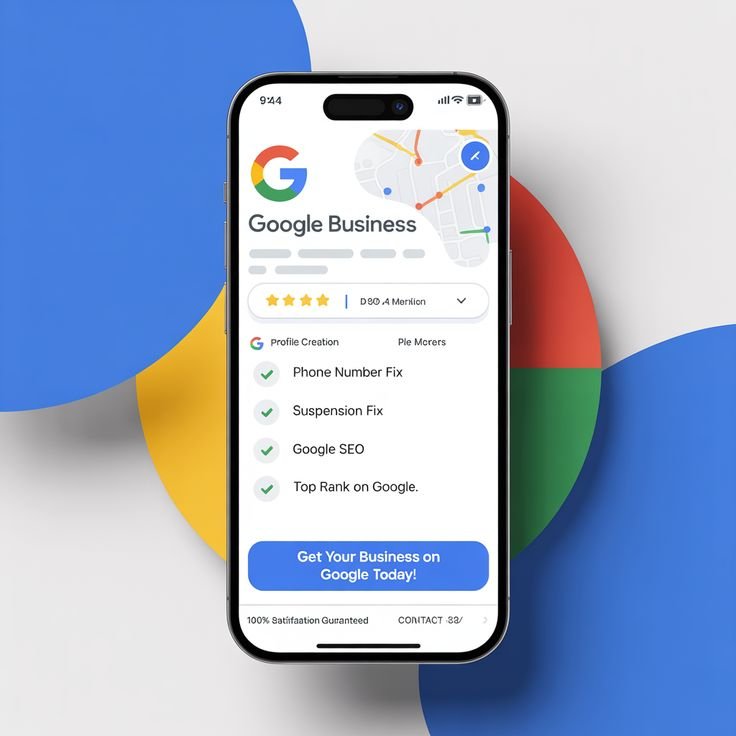
That map block is called the local pack, and your Google Business Profile (GBP) is the ticket to getting into it. This guide explains how it works and what to do, step by step, so your business shows up when nearby customers are ready to buy.
The short answer: to rank in the Kochi map pack, claim and verify your profile, choose the right primary category, keep your name, address and phone number consistent everywhere, collect genuine reviews steadily, add fresh photos and posts, and support it all with a locally relevant website.

What Is a Google Business Profile, and Why Does It Matter for Kochi Businesses?
A Google Business Profile (earlier known as Google My Business) is the free listing that appears on Google Search and Google Maps when people look for your business or for services like yours. It shows your address, opening hours, phone number, photos, reviews, services and a link to your website.
For a local business in Kochi, it often works as your second homepage. Many customers will see your profile before they ever see your website. If it is incomplete, outdated or full of unanswered reviews, they will simply call the next listing.
A strong profile helps you:
- Appear when people search for your service in your area
- Get more calls, direction requests and WhatsApp enquiries
- Build trust before the customer has spoken to you
- Compete with bigger brands on an equal footing, since the listing is free
How Google Decides Who Ranks in the Map Pack
Google has said that local results are based mainly on three factors:
- Relevance: how well your profile matches what the person searched for. Your category, services and description matter most here.
- Distance: how close your business is to the searcher, or to the area named in the search. You cannot change where you are, but you can make sure your location is accurate.
- Prominence: how well known your business is. Reviews, ratings, mentions across the web and your website’s strength all feed into this.
The good news is that two of these three, relevance and prominence, are things you can actively improve.
A 10-Step Google Business Profile Optimisation Checklist
1. Claim and verify your profile
Search for your business on Google Maps. If a listing exists, claim it. If not, create one. Complete the verification so you can edit and manage it. An unverified profile is limited and easier to lose control of.
2. Choose the right primary category
Your primary category is one of the strongest relevance signals. Pick the most specific option that describes your main service, for example “Dental clinic” rather than just “Health”. Add secondary categories only for services you really offer.
3. Use your real business name
Use the name customers know you by, exactly as it appears on your signboard. Stuffing keywords or locations into the name (for example “Best Cheap AC Repair Kochi”) breaks Google’s guidelines and can get your profile suspended.
4. Fill in every section
Add your address or service area, phone number, website, opening hours, special hours for festivals such as Onam and Vishu, and the attributes that apply (wheelchair access, online appointments, free Wi-Fi and so on). Complete profiles give Google more to work with and give customers fewer reasons to hesitate.
5. Write a clear business description
You get 750 characters. Explain what you do, who you serve and what makes you different, in natural language. Mention Kochi or your neighbourhood where it fits, but do not stuff keywords.
6. List your services and products
Add each service with a short description, and prices if you can. This helps your profile match more specific searches and answers questions before customers have to ask.
7. Upload real photos and videos regularly
Add your storefront, interior, team, products and work in progress. Original photos taken by your team build more trust than stock images. Aim to add new ones every few weeks rather than uploading everything at once and stopping.
8. Use Google Posts
Share offers, events, new arrivals and updates. Posts keep your profile active and give customers a reason to click, call or visit.
9. Turn on messaging and add a call-to-action
Make it easy to contact you. Respond quickly to messages, because slow replies cost enquiries.
10. Track what is working
Add UTM parameters to the website link on your profile so you can see GBP traffic in Google Analytics. Review the profile’s performance data to see how many people called, requested directions or visited your site.
How to Get and Respond to Google Reviews the Right Way
Reviews affect both your ranking and your conversion rate. A profile with fresh, detailed reviews looks more trustworthy than one with a high rating from long ago.
- Ask at the right moment. Request a review right after a successful service or purchase, by sharing your direct review link over WhatsApp or SMS.
- Make it easy. Use the short review link from your profile or a QR code at the counter.
- Do not buy or fake reviews. Google can remove them and penalise your profile.
- Do not offer rewards for positive reviews. Asking for honest feedback is fine. Paying for five stars is not.
- Reply to every review. Thank happy customers by name. Respond to negative reviews calmly and offer to fix the issue offline. Future customers read your replies as much as the review itself.
NAP Consistency and Local Citations
NAP stands for Name, Address and Phone number. These details should be identical on your Google profile, your website, social media pages and business directories. Small differences, such as “Rd” in one place and “Road” in another, or an old phone number on a directory, can confuse search engines and weaken your local signals.
List your business on trusted Indian and local directories that are relevant to your industry, and keep each listing accurate. Quality and consistency matter more than the number of citations.
Support Your Profile with Your Website
Your GBP and your website work together. To strengthen the connection:
- Create a dedicated page for each key service and location you serve
- Include your NAP details and an embedded Google Map on your contact page
- Add LocalBusiness schema markup so search engines clearly understand your business details
- Make sure the site loads fast and works well on mobile, since most local searches happen on phones
If you also want to grow beyond the map pack, our SEO services can help you build the website side of local visibility.
Common Mistakes That Hurt Local Rankings
- Keyword-stuffed business names, which risk suspension
- Duplicate listings for the same location, which split your reviews and confuse Google
- Wrong or too many categories
- Ignoring reviews, especially negative ones
- Outdated hours, particularly during festivals and holidays
- Using a virtual office or fake address, which violates guidelines
- Uploading once and never updating
How Long Does Local SEO Take to Show Results?
Some improvements, such as fixing categories, completing the profile and correcting wrong details, can start showing in a few weeks. Gaining a strong position in a competitive area of Kochi usually takes longer, because reviews, citations and website signals build gradually. The timeline depends on your industry, how many competitors are nearby and how complete your profile is today. Progress is best judged by calls, direction requests and enquiries, not by rankings alone.
Local SEO vs Google Ads for Local Visibility
Local SEO builds lasting visibility in the map pack and organic results without paying for each click. Google Ads gives you paid visibility straight away, but it stops when the budget stops. Many Kochi businesses get the best results by using both: local SEO for steady, long-term enquiries and ads for urgent campaigns or new launches. If you are weighing paid options, read our comparison of Google Ads vs Meta Ads. For budgeting, see SEO cost in Kerala.
Frequently Asked Questions
What is Google Business Profile optimisation?
It is the process of completing and improving your Google listing, with the right category, accurate details, photos, services, posts and reviews, so that it ranks higher in local searches and convinces more people to contact you.
Is Google Business Profile free?
Yes. Creating and managing a Google Business Profile is free. You pay only if you hire an agency to manage it or run Google Ads alongside it.
How can I rank on Google Maps in Kochi?
Verify your profile, pick the most accurate primary category, keep your NAP details consistent, collect genuine reviews, add photos and posts regularly, and make sure your website supports your local relevance.
How many reviews do I need to rank in the local pack?
There is no fixed number. What matters is that you earn reviews steadily, that they are genuine and detailed, and that you compare well with the competitors in your area.
Can I manage my Google Business Profile myself?
Yes, the basics are easy to handle yourself. An agency helps when you need competitive keyword research, multi-location management, review systems, citation clean-up or reporting.
Ready to Show Up When Kochi Searches for You?
If your business is not appearing in the map pack, or you are not sure whether your profile is set up properly, our team can help. Upswing Digital offers Google My Business and local SEO services for businesses across Kochi and Kerala. Get in touch for a free profile audit and a clear plan for your next steps. You can also read our guide on what to look for when hiring an SEO agency before you decide.

HOW TO PLAN A PROFESSIONAL VIDEO SHOOT
Planning a professional video shoot involves much more than simply starting the camera. It begins wi
SEO Agency in Oman: Proven Strategies That Deliver Long-Term Results
Oman’s online landscape is rapidly evolving, as is the race for visibility on Google’s f
Google Ads Retargeting: How to Bring Customers Back
Are you tired of potential customers visiting your website and leaving without converting? Do you wa
Leave a Reply